Chatbox Setup Guide (ChatGPT Provider / Desktop)
Quickly connect Chatbox for desktop chat, translation, writing, and Q&A.
Use case: Chatbox is a cross-platform desktop AI client. Connect your own API Key to the LLM API Gateway's OpenAI-compatible endpoint for everyday chat, translation, writing, and coding questions.
| Setting | Value | Notes |
|---|---|---|
| API type | OpenAI API Compatible | Chatbox officially supports custom OpenAI-compatible providers. |
| API Host / Base URL | https://api.llm-token.cn/v1 | Do not enter the full /chat/completions path. If your client version has problems, try https://api.llm-token.cn. |
| API Key | sk-xxxxxxxx | Copy your complete Key. It is normal for the field to hide the value after you paste it. |
| Model | Enter the complete model ID from the model list | Capitalization, hyphens, and version numbers must match. |
1. Download and Install Chatbox
- Official website: https://chatboxai.app/
- GitHub Releases: https://github.com/chatboxai/chatbox/releases
- Download the installer for your operating system, install it, and open Chatbox.
2. Add the LLM API Gateway Provider
- Select Settings in the lower-left corner, open the model or Provider settings, and click the add icon.
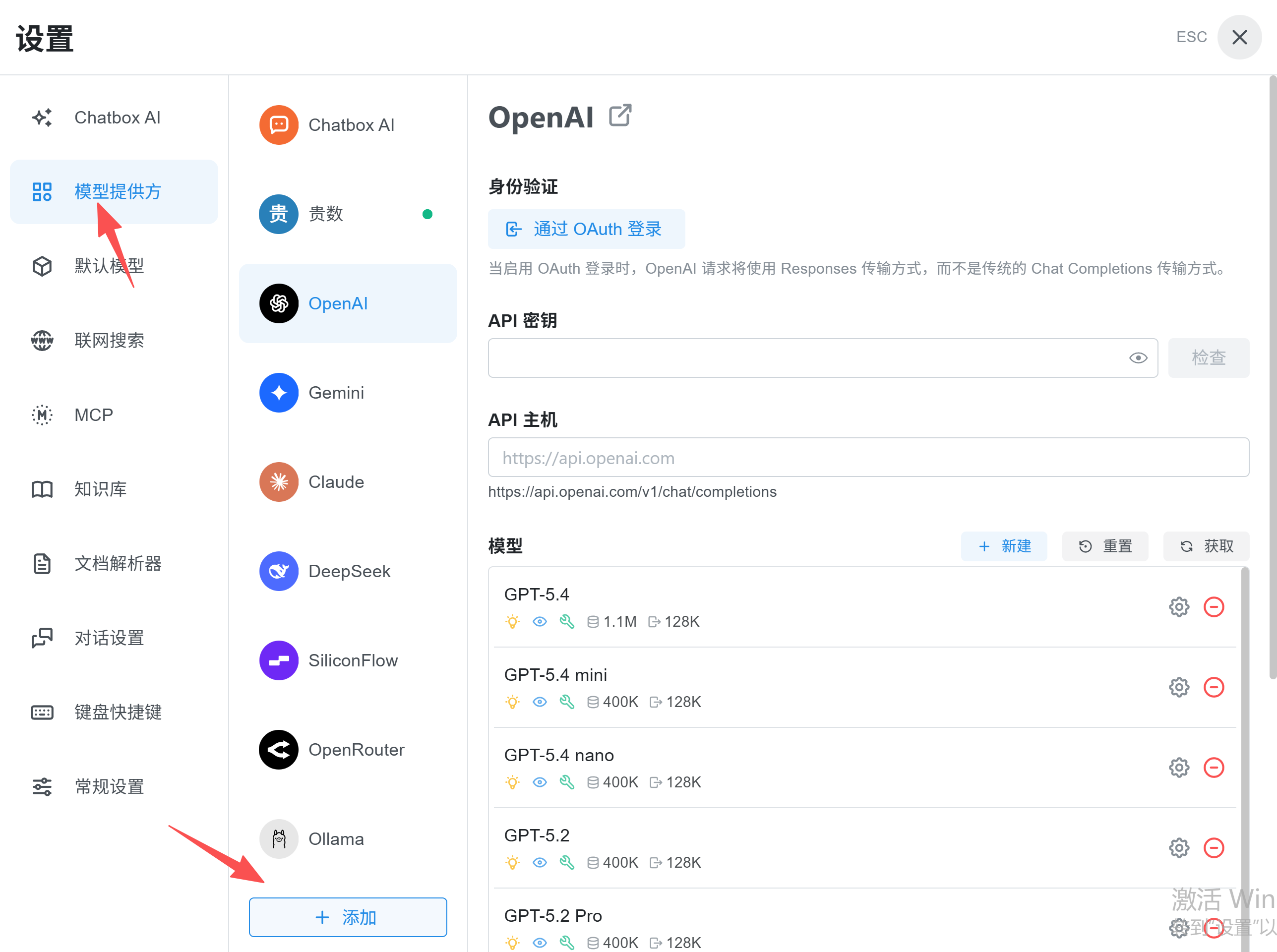 Chatbox Model Provider settings with OpenAI selected, highlighting the M…
- Choose Add Custom Provider or the equivalent custom-provider option.
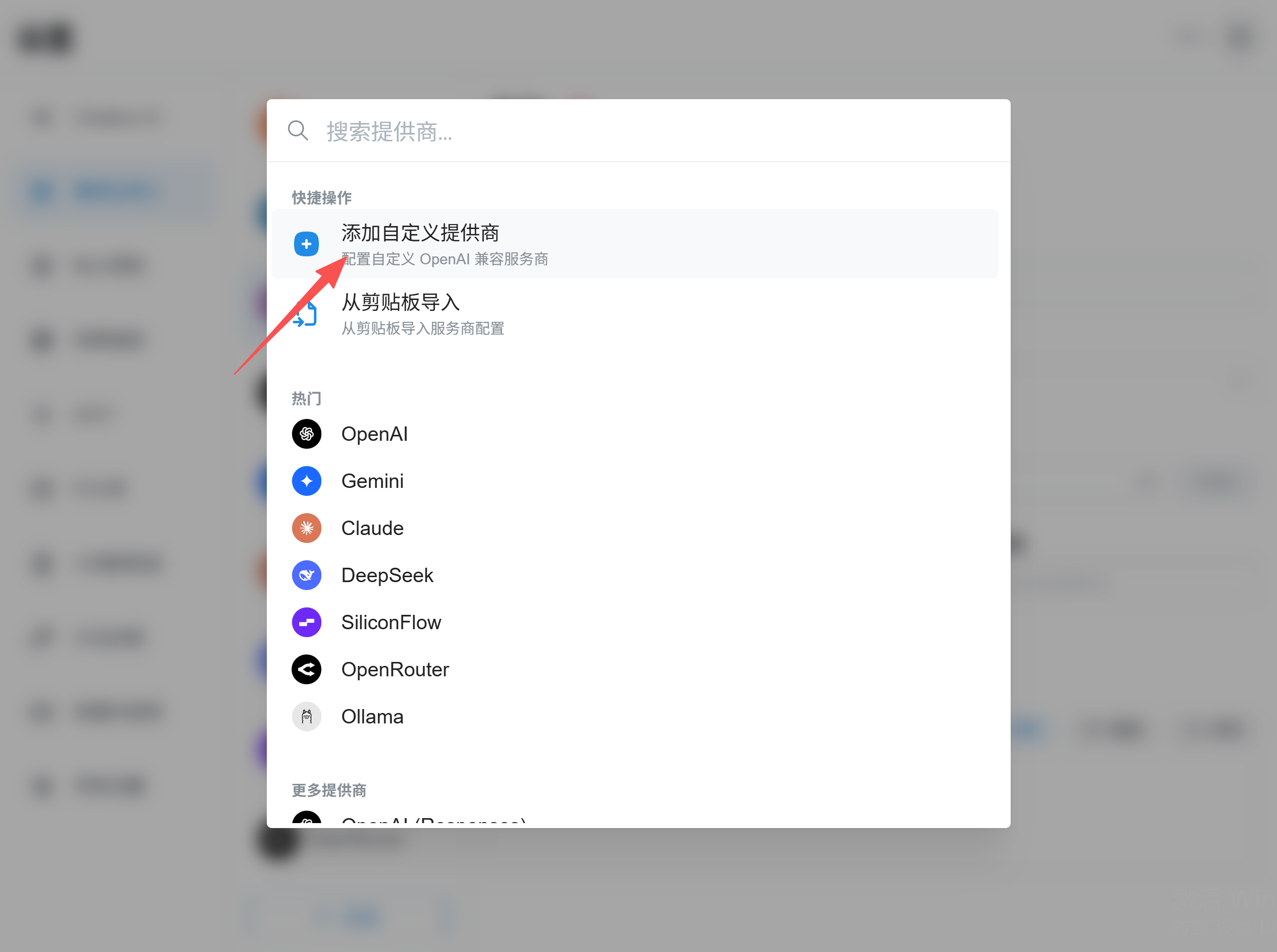 Chatbox Add Custom Provider screen after searching for OpenAI, with the…
- Check the API mode. Enter the access code sent by support as the API key, then enter our base URL under API Host.
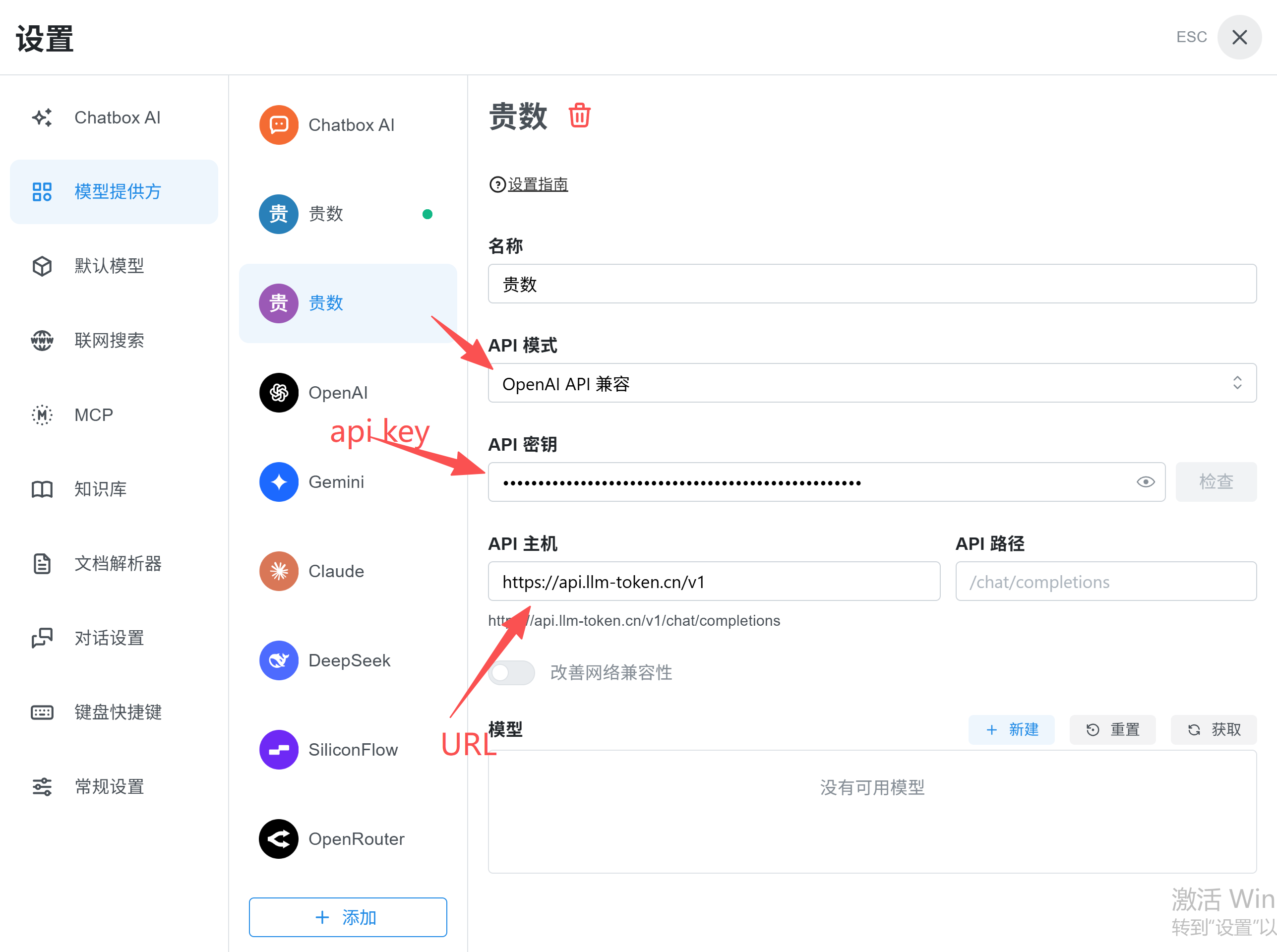 Chatbox provider settings showing OpenAI API Compatible mode, a masked A…
- Click the new-model icon, enter the model name with exact capitalization and punctuation, then save it.
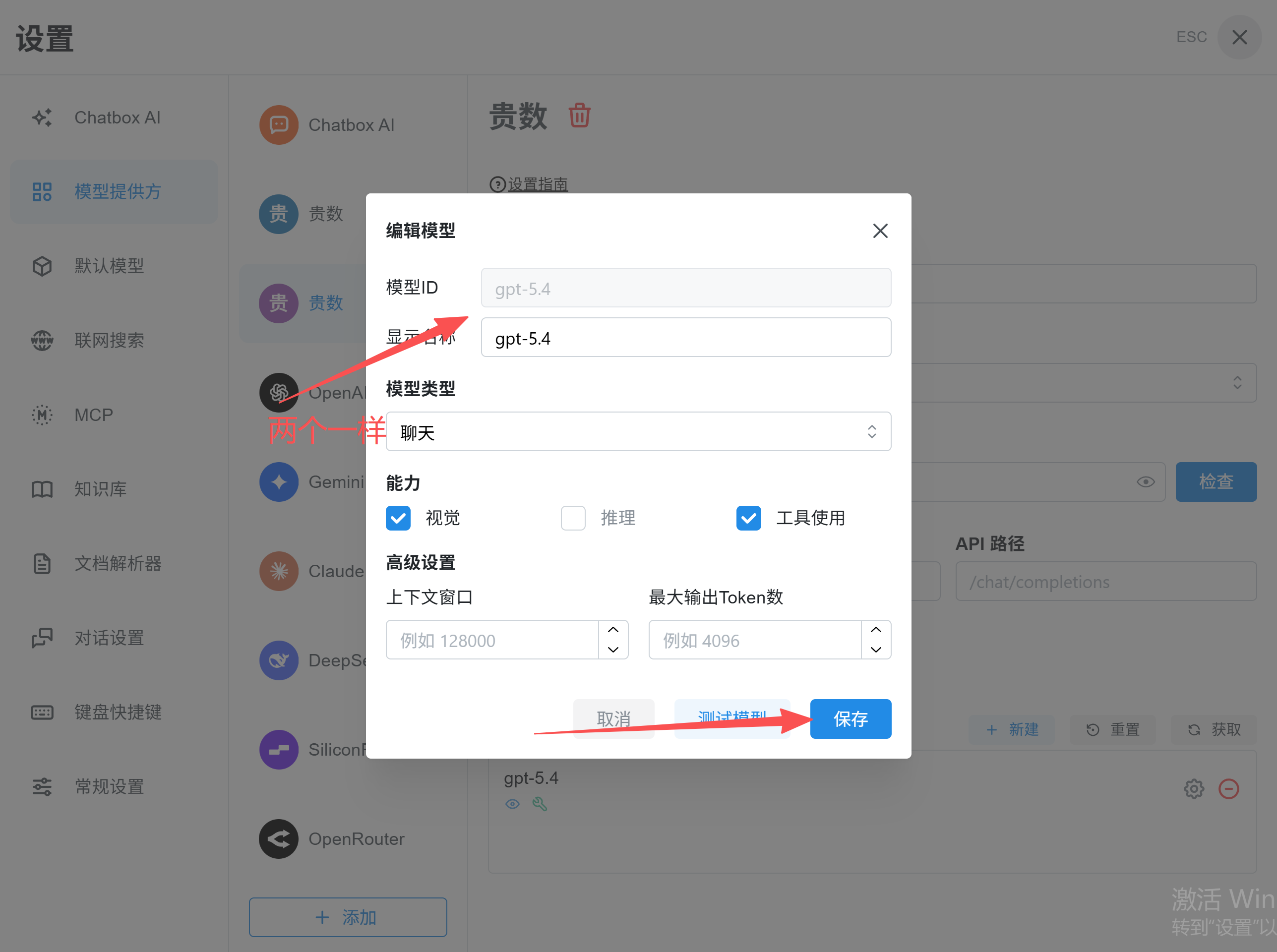 Chatbox Edit Model dialog with fields for model ID, display name, and mo…
- Click the check button beside the access code. A successful check means setup is complete.
Important: The recommended Base URL is https://api.llm-token.cn/v1. Copy the model ID from our model list, such as claude-sonnet-4-6, gpt-5.5, or MiniMax-M3.
3. Verify the Setup
- Return to the chat home screen and start a new conversation.
- Select the LLM API Gateway model you just added.
- Send this test message:
Hello, reply with one sentence. - If the response streams normally, setup is complete.
4. Troubleshooting
| Symptom | Check first |
|---|---|
| Connection failed | Confirm that the Base URL is https://api.llm-token.cn/v1, the network can reach it, and the Key was copied completely. |
| Model does not exist | An incorrect model ID is the most common cause. Copy the complete name from the model pricing list. |
| Connected, but responses are slow | Test a faster model, such as claude-sonnet-4-6 or MiniMax-M3-highspeed. |
| The Key disappears after pasting | This is normal behavior for a password field. Save or test the provider directly. |