Web-Based Image Model Setup Guide
A browser-based setup guide for beginners who do not want to configure API parameters directly.
Step 1: Open this URL:
Step 2: Click Settings
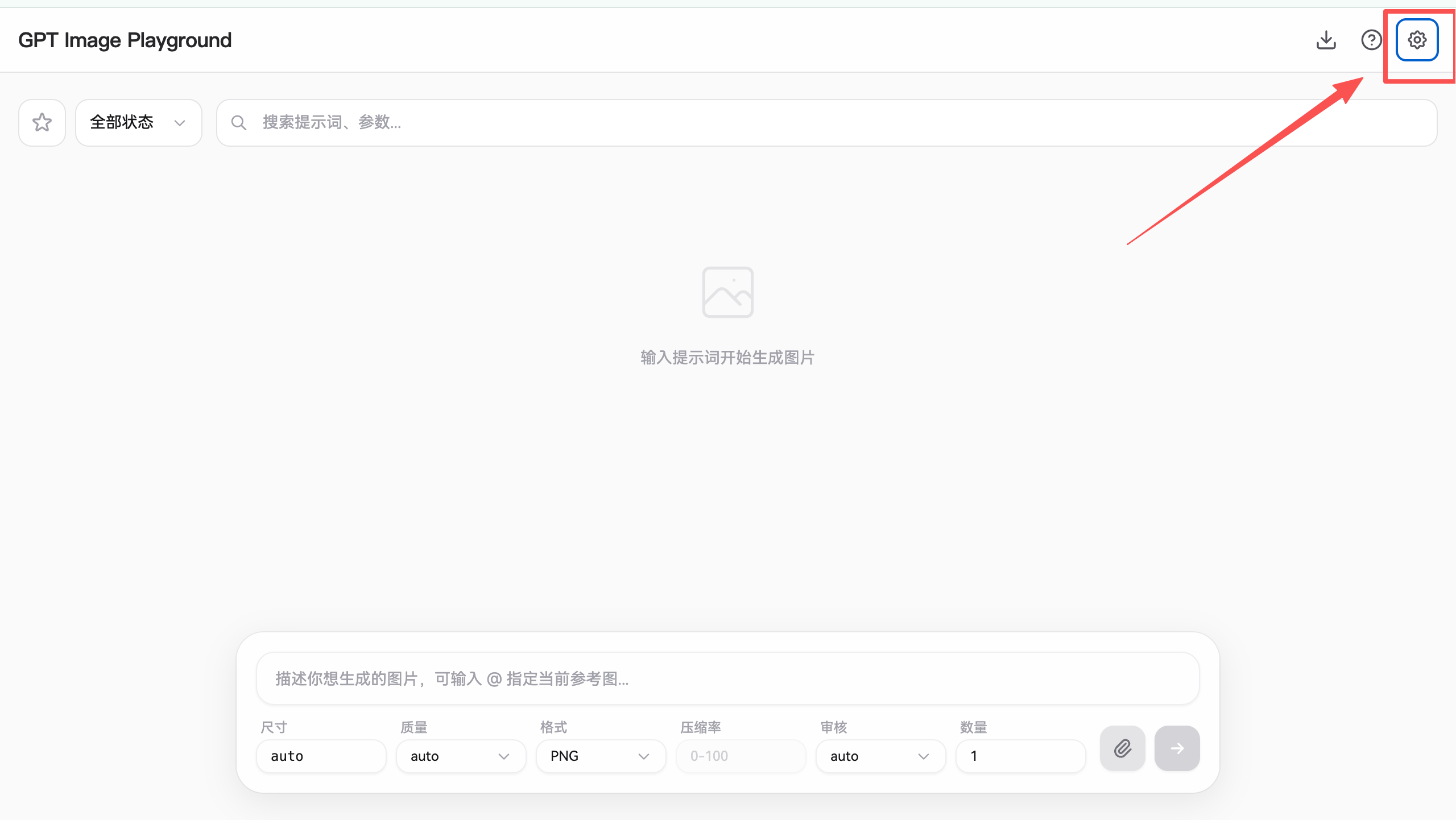 The image shows the GPT Image Playground web interface. There are three…
Step 3: Click API Configuration
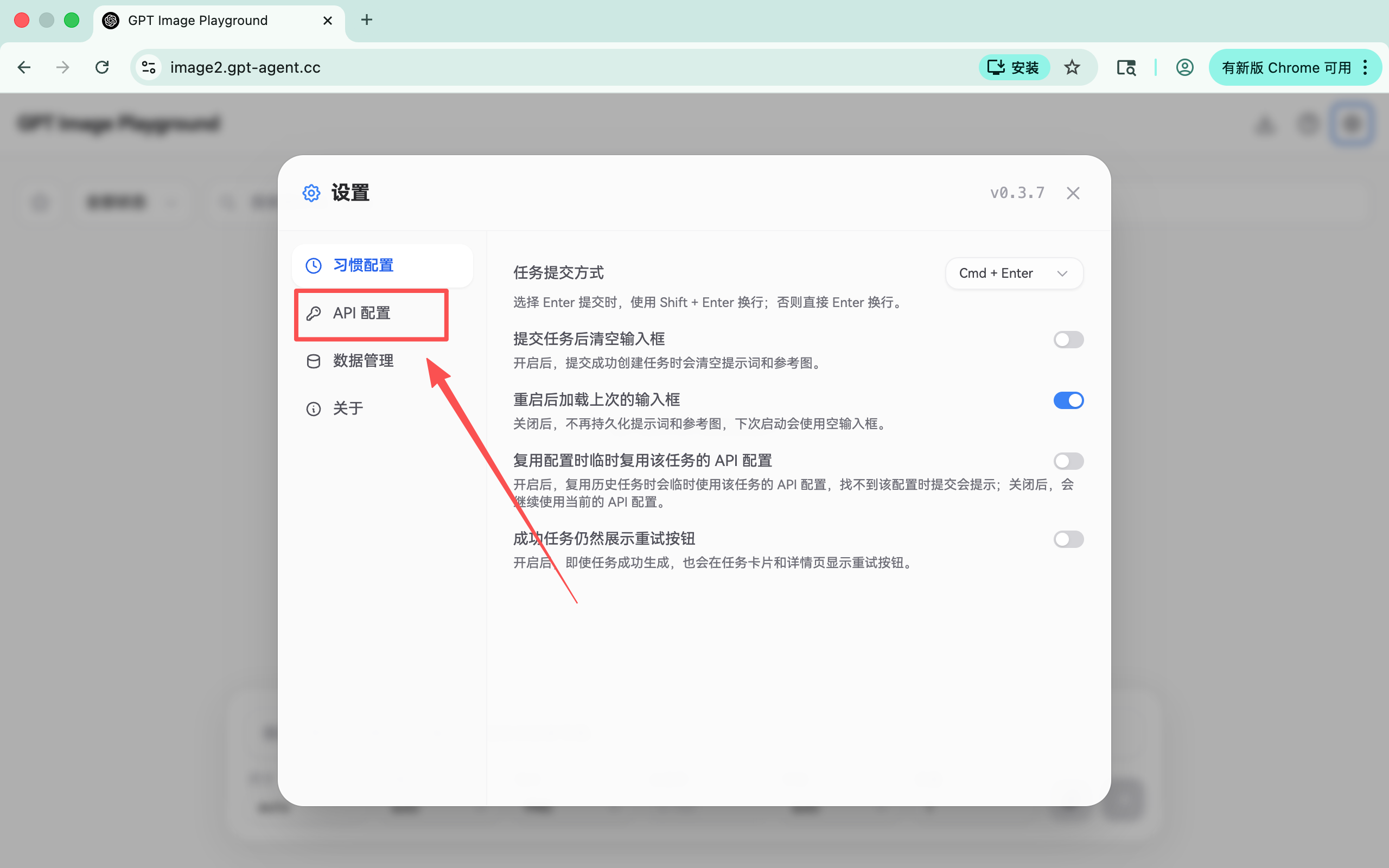 The image shows the web-based image model settings screen, with “API Con…
Next, scroll down and enter the key we provided
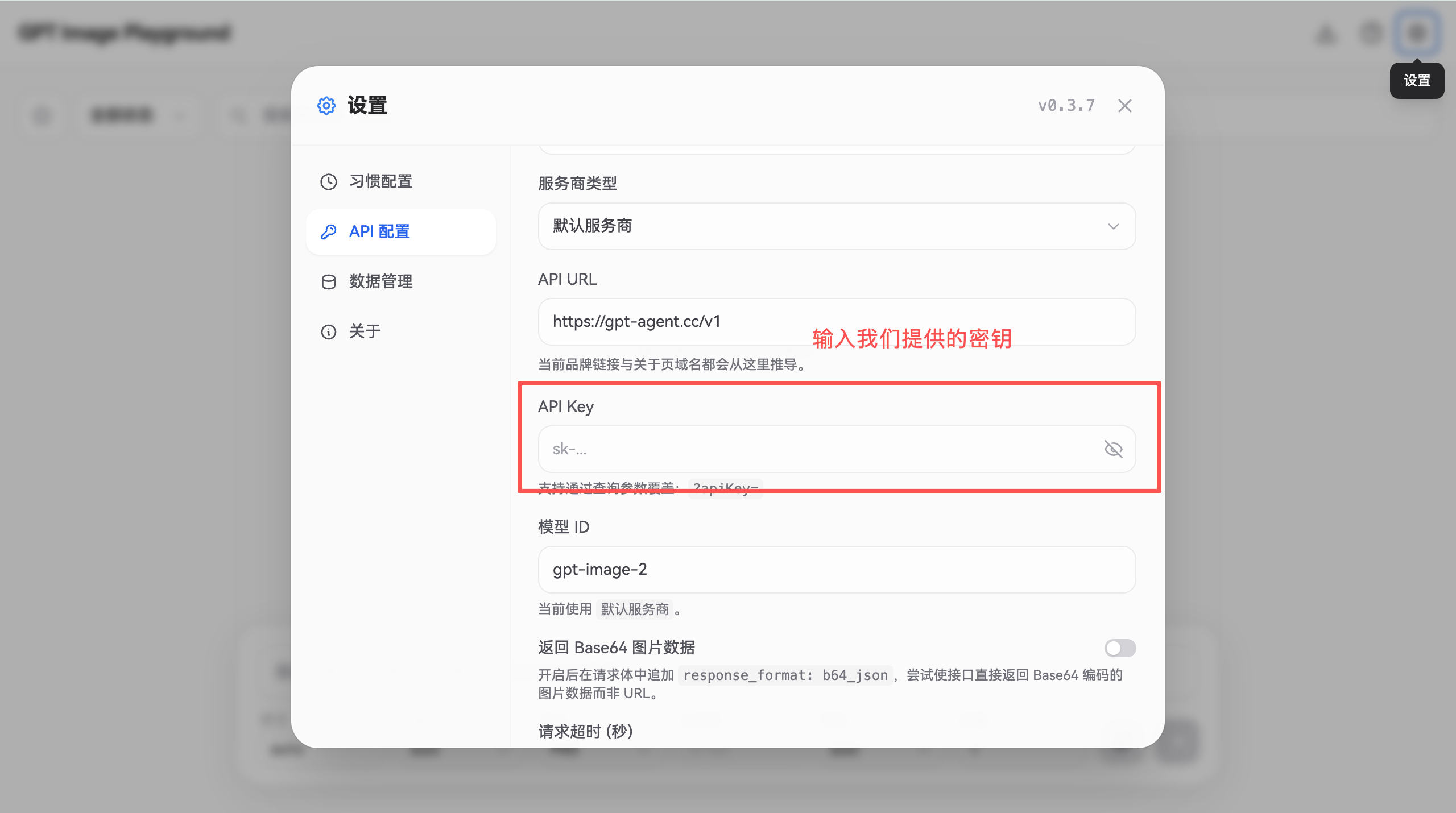 The image shows the API Configuration screen for the web-based image mod…
Finally, click any blank area to finish.