Cherry Studio Setup Guide
Use screenshots to find the custom provider, Base URL, and API Key fields.
Download the client: https://www.cherry-ai.com/
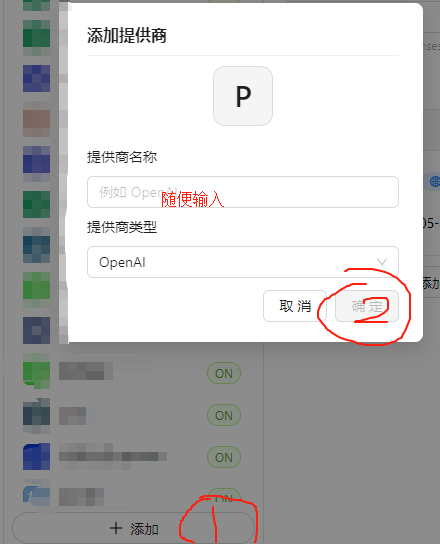 Cherry Studio Add Provider dialog with fields for a provider name and pr…
1. API Base URL (gateway address): https://api.llm-token.cn/v1 If it reports an error, use https://api.llm-token.cn.
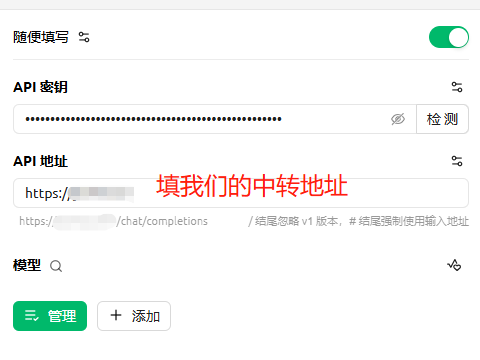 Cherry Studio configuration screen highlighting where to enter the API B…
Model provider: Custom / Custom Provider
API Base URL: https://api.llm-token.cn/v1 If it reports an error, use https://api.llm-token.cn.
API Key: Your Key
Endpoint Compatibility: Anthropic-compatible
Model name: claude-sonnet-4-6 or the name of another supported model
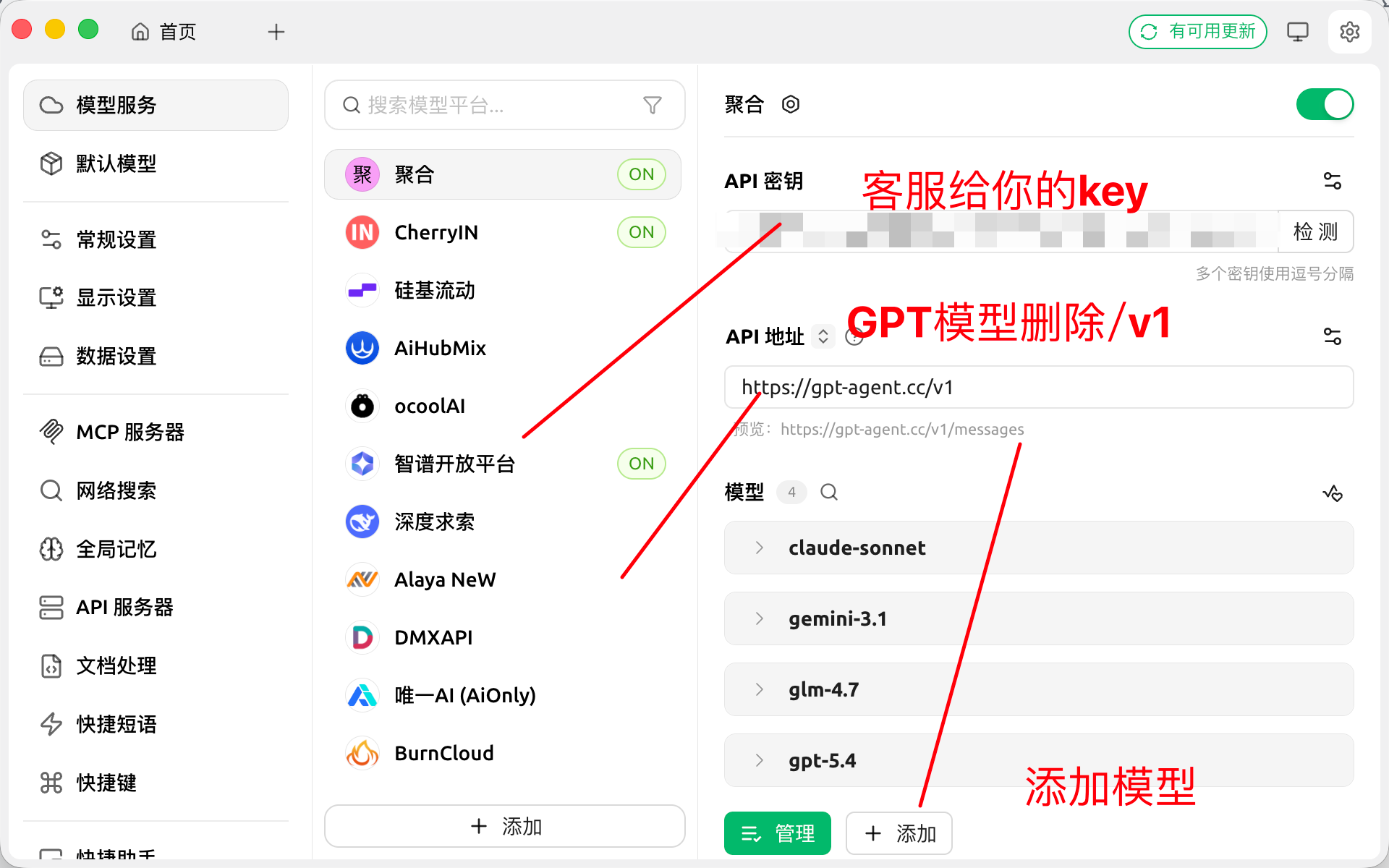 Cherry Studio Model Services screen with several providers and fields fo…
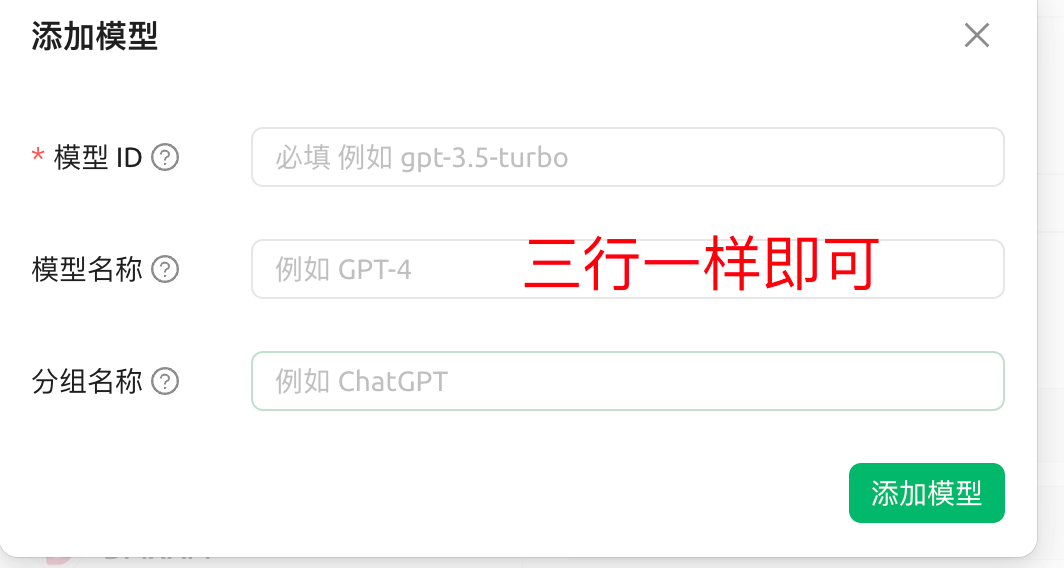 Cherry Studio Add Model dialog with model ID, model name, and group name…
Tencent Cloud / OpenClaw Custom Model Configuration
Use a directly verifiable JSON5 example to explain how to fill in the fields for the interfaces compatible with OpenAI and Anthropic.
Claude Code Deployment Guide
Covers installation, initialization, proxy access, common errors, and the complete deployment process.