Cursor Setup Guide
Connect versions of Cursor that expose custom OpenAI Key and Base URL settings.
Read this first: Model settings vary across Cursor versions. Direct LLM API Gateway integration is only suitable when Cursor Settings includes options such as OpenAI API Key and Override OpenAI Base URL / Custom Base URL.
| Setting | Value | Notes |
|---|---|---|
| API Key | sk-xxxxxxxx | Enter your own LLM API Gateway Key. |
| Base URL | https://api.llm-token.cn/v1 | Enter it in the Override or Custom Base URL field. |
| Model ID | Full model name from the model list | The model name must match exactly. |
1. Open Cursor Model Settings
- Open Cursor.
- Go to Cursor Settings.
- Find Models or the API Keys settings.
- Find the OpenAI API Key and Base URL fields.
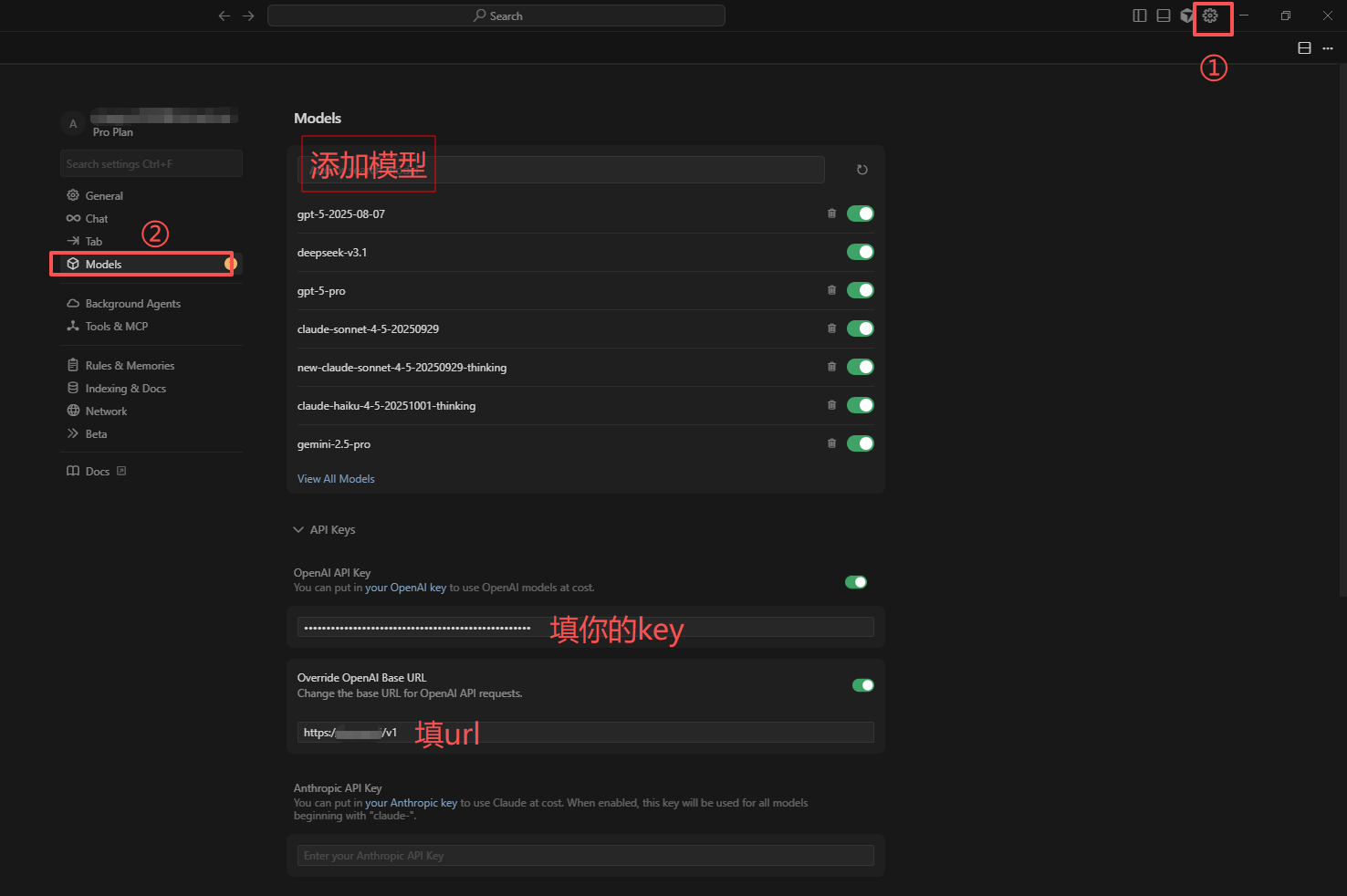 Cursor Models settings with a list of models, OpenAI API Key and Base UR…
2. Enter the LLM API Gateway Details
- Enable the OpenAI API Key or custom API Key option.
- Enter your Key beginning with
sk-in the API Key field. - Enter
https://api.llm-token.cn/v1in Base URL / Override OpenAI Base URL. - If custom models are supported, enter a model ID such as
claude-sonnet-4-6orgpt-5.5. - Click Verify / Save, then start a new session to test it.
Verification: After saving, start a new Chat, select the configured model, and send a short request such as “Hello, please reply in one sentence.” A normal response confirms that setup succeeded.
3. Cursor Limitations
| Situation | Recommendation |
|---|---|
| No Override Base URL option | Your current version may not support a custom gateway directly. Use VS Code + Cline, Trae + Cline, OpenCode, or WorkBuddy instead. |
| Verify fails | Check the Key, Base URL, and model ID. Do not use a full API endpoint as the Base URL. |
| Some features still use Cursor's built-in models | This is a Cursor limitation. A custom Key usually applies to standard chat models, while some built-in features may continue using Cursor models. |
| Model list is missing | Test with one explicit model ID first. If it still fails, switch to a Cline-based client. |
4. Recommended Alternatives
If your version of Cursor does not support a custom Base URL, the most reliable alternatives are VS Code + Cline and Trae + Cline. Both guides are included in the main tutorial collection and expose the required settings clearly.