Tencent Marvis Local Knowledge Base Use Cases: File Search, Document Q&A, and Knowledge Archiving on a Computer That Actually Remembers
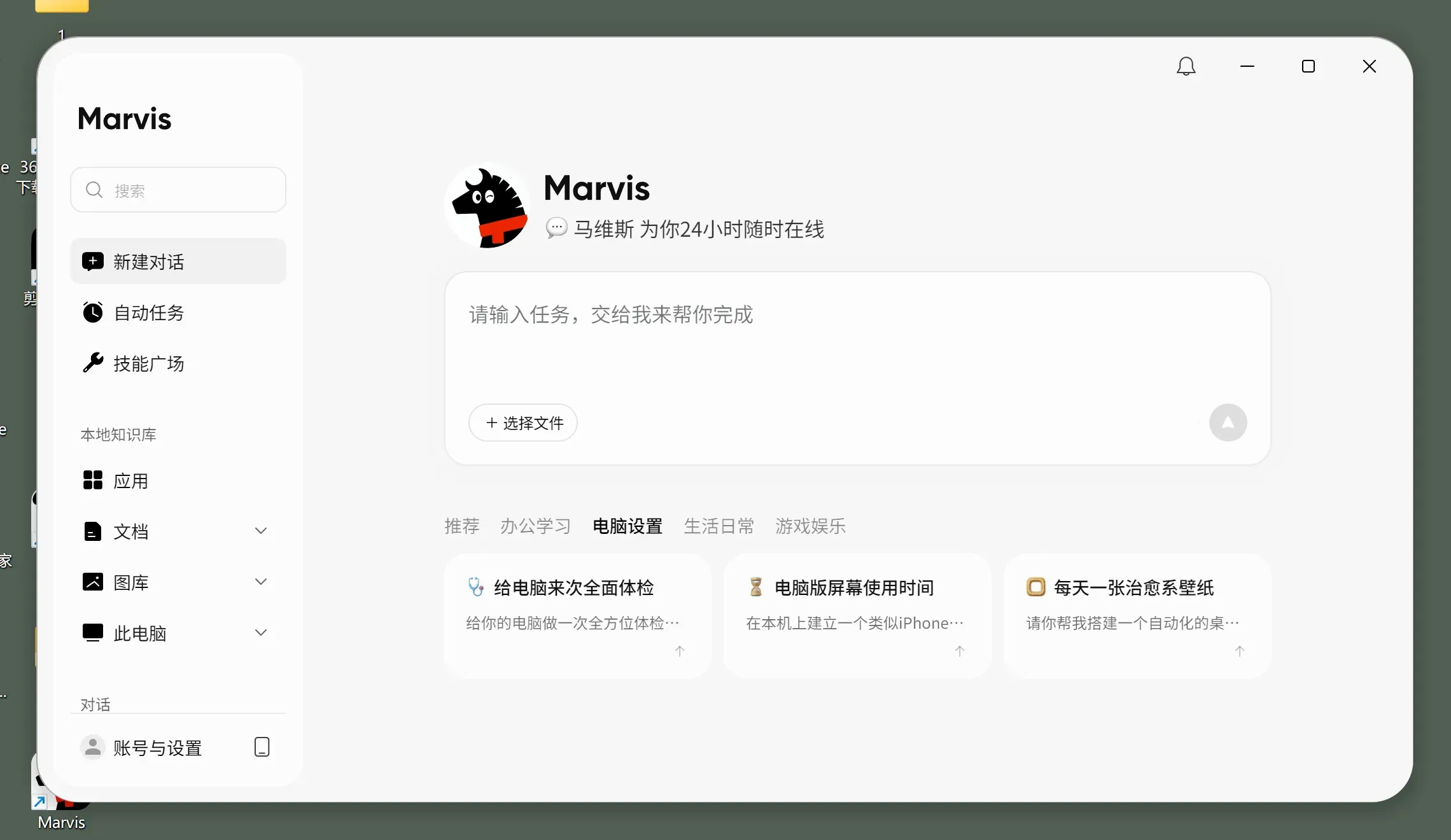
If the previous Marvis article focused on local mode, remote control, and system tasks, this one tries to answer a more practical question for knowledge workers:
Can Marvis gradually turn the scattered files, documents, research materials, and history on a computer into a local knowledge base you can ask, search, and organize?
I went back through the public materials on the Marvis website and Tencent Cloud Developer Community that discuss personal knowledge management, local document recognition, and file organization. My takeaway is straightforward:
What makes Marvis worth watching is not just whether it can click buttons for you. It is that it has started to combine a local file workspace, a document Q&A entry point, and information organization into something that feels more like a long-term desktop knowledge layer.
Start with the conclusion
-
As of June 29, 2026, the most convincing
Marviscapabilities for a local knowledge base, based on public materials, are concentrated in four areas:- Local file content search
- Cross-document Q&A and information lookup
- Bulk organization, archiving, and format handling
- Privacy boundary control in local mode
-
The key point here is not "yet another search box." It is that Marvis is starting to connect:
PDF / Word / Excel- authorized folders
File Agent- local mode
- document Q&A
into one continuous workflow.
-
In terms of product mental model, it feels more like:
a local knowledge layer on your computer
rather than:
a chat window you only use for one-off questions
Why a local knowledge base matters more than ordinary chat
When people talk about AI assistants, the first things they often think of are:
- writing copy
- summarizing a webpage
- polishing wording
But for people who work with a flood of materials every day, the harder problems are usually:
- knowing a sentence exists somewhere, but not being able to find it
- remembering a parameter was mentioned in a PDF, but forgetting the filename
- wanting to archive materials scattered across the desktop, downloads, and project folders
- hoping that next time, instead of rereading everything, they can just ask
In other words, the real friction is often not "there is no answer." It is:
The answer is already on your computer, but you cannot surface it when you need it.
That is exactly where system-level assistants like Marvis have the biggest chance to stand apart:
- they can access local files
- they can read file contents, not just filenames
- they can combine search, Q&A, organization, and format handling in one place
Case 1: File Agent is not just file search, it is starting to own the file workflow
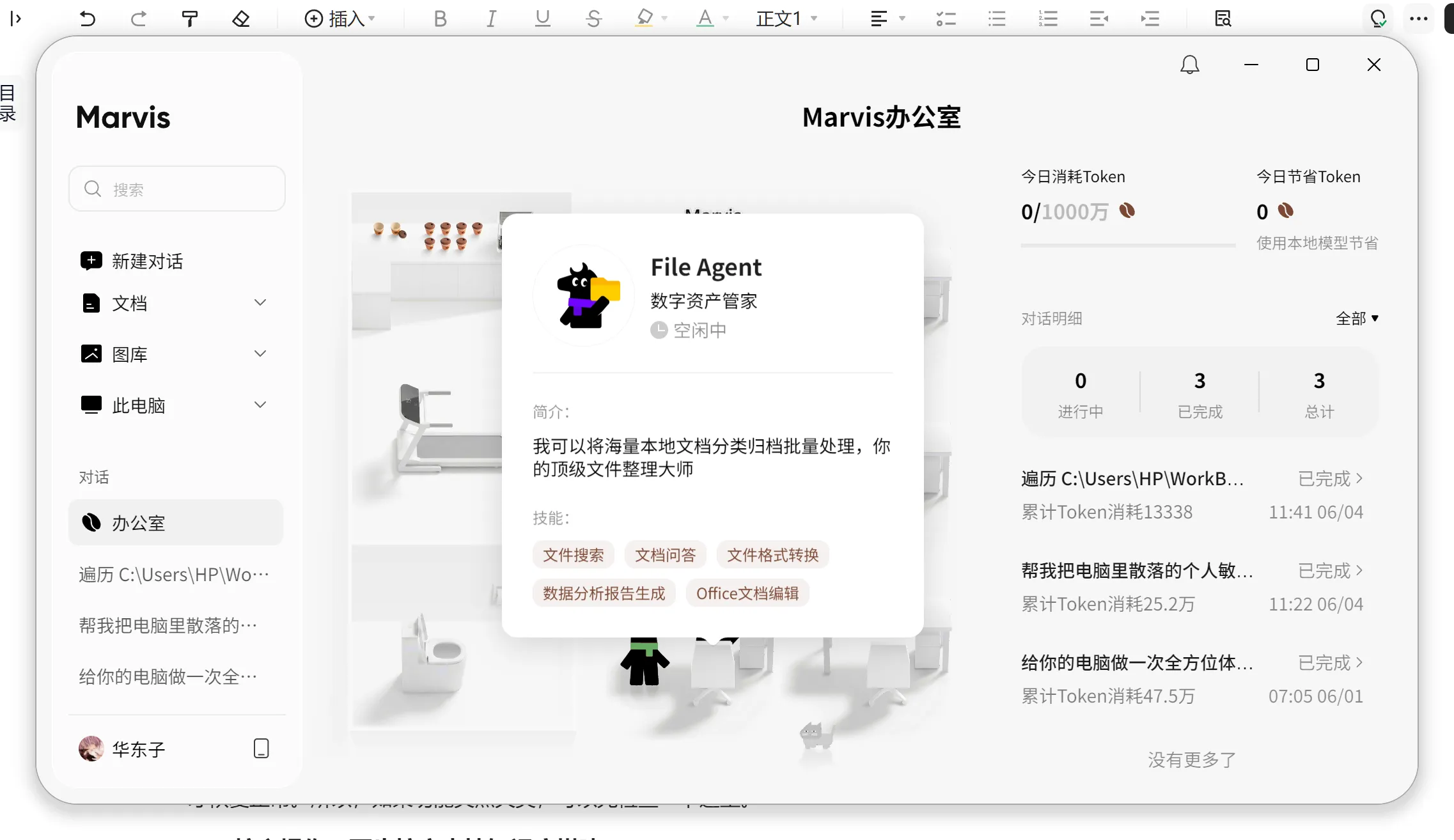
From the public interface and community articles, one especially notable thing about Marvis is that it no longer treats file capabilities as a side feature. Instead, it has pulled them into a much clearer role:
File Agent
From the public screenshots, the capability labels on this File Agent are already very close to real knowledge-work workflows:
- file search
- document Q&A
- file format conversion
- data analysis report generation
- Office document editing
That suggests Marvis is not only trying to:
- help you locate a file in a folder
It is aiming for something more like:
- find the source material first
- understand the material next
- convert it into the format you need
- then keep going with summaries, reports, or organized outputs
Why is this product shape worth calling out on its own? Because it shows that Marvis is moving beyond a "system add-on feature" and toward a reusable long-term file workspace.
Case 2: Local document recognition makes fuzzy-memory search feel usable for the first time
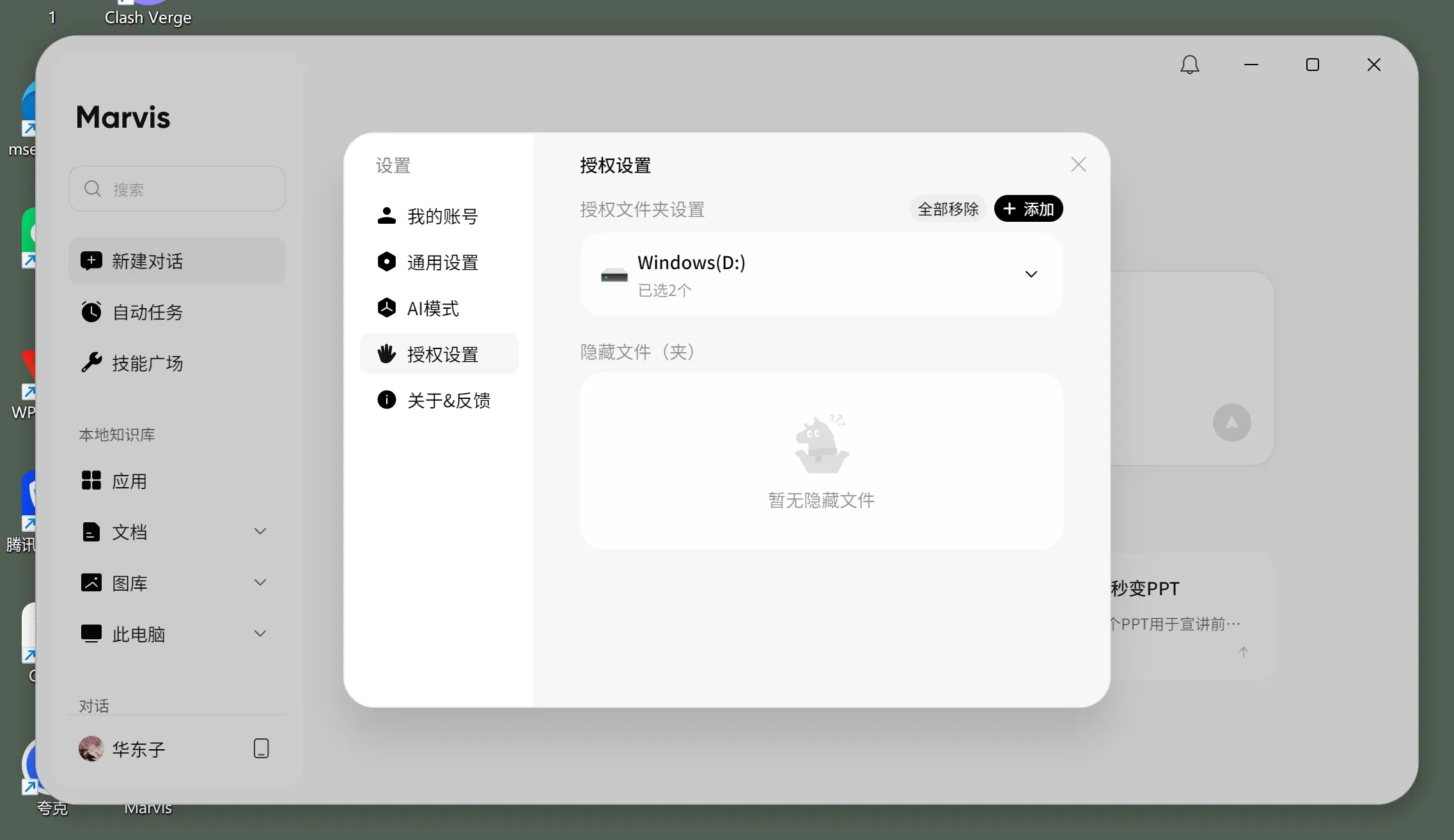
The most direct public example of this direction in Tencent Cloud Developer Community is:
Save Time in Practice: Using Marvis Local Document Recognition to Stop Digging Through Folders for Knowledge Search
What makes that article worth reading is not simply that "it supports search." It grounds the feature in operations that look very close to real usage:
- authorizing folders
- defining the scan scope
- supporting local formats such as
PDFandWord - allowing users to choose local mode
- aiming for content-based retrieval instead of filename-based retrieval
That is where it starts to diverge from traditional desktop search.
Traditional search usually requires you to remember at least one thing:
- the filename
- the folder location
- the time
- the file extension
What Marvis is trying to offer is a model that fits how people actually remember information:
- I only remember what it said
- I only remember which field it mentioned
- I only remember that a certain table appeared in one of the files
The public article describes the experience well: it feels more like installing a "thinking brain" for your local files.
Why does this matter so much for a local knowledge base? Because knowledge work materials are often fragmented:
- a pile of PDFs in the downloads folder
- meeting notes on the desktop
- explanatory documents inside project folders
- contracts, proposals, reports, and screenshots mixed together
Without a content-based way to find them, knowledge stays piled on the hard drive and never becomes a truly usable asset.
Case 3: Personal knowledge management becomes more than collection, with Q&A and archiving built in
Another public article that belongs in this story is:
Beginner's Complete Guide: Using Tencent Marvis for Personal Knowledge Management and Intelligent Q&A
The value of that piece is not the tutorial format itself. It is that it explicitly positions Marvis as an entry point for personal knowledge management.
From the article, you can see several representative use cases:
- technical Q&A
- issue archiving
- brief news article archiving
- keyword archiving
- developer manual archiving
- developer manual section archiving
This is an important signal, because it suggests that Marvis is not just trying to "help you find one file today." It is trying to:
gradually turn the materials on your computer into a body of knowledge that can be queried, searched, and categorized over time.
In other words, it is much closer to this path:
- feed the materials in first
- organize those materials next
- then let you keep asking questions around them
That is the core difference between a local knowledge base and ordinary local file search.
Case 4: Privacy mode decides whether it can really handle contracts, reports, and sensitive materials
If you want a local knowledge base to work in a real production environment, one question is unavoidable:
Can these materials stay local?
In both Marvis official materials and public community articles, one capability appears again and again:
- Efficiency mode
- Local mode
The public interface also explains local mode clearly:
- designed for confidential scenarios
- uses local models
- processes and analyzes all files on the local machine
Why does this matter so much? Because without that boundary, many genuinely valuable materials would never be trusted to the system:
- contracts
- financial documents
- internal project plans
- technical manuals
- client materials
- research reports
So from a procurement or deployment perspective, whether Marvis can sustain a real local-knowledge-base strategy depends not only on retrieval quality, but also on:
- whether local mode is stable
- whether the authorization boundary is clear
- whether files are truly handled only on the device
What feels closest to a real production environment today
Looking across these public examples together, the characteristics that make Marvis feel most production-ready on the "local knowledge base / file workspace" path are probably these:
- a clearly defined file-agent role
- authorized folders and scan scopes
- content-level retrieval instead of filename-level retrieval
- document Q&A and format conversion
- local mode as a privacy valve
That means what it resembles most right now is not a traditional cloud knowledge base, but:
a personal knowledge foundation that lives on a computer.
What it is trying to absorb is not just the act of search, but the whole workflow of:
- finding materials
- asking questions about materials
- archiving materials
- changing formats
- producing summaries and reports along the way
Who should try it first
Good candidates to try it now
- people with too many files, too much reference material, and a messy desktop
- knowledge workers who constantly work through
PDF / Word / Excel - team members handling contracts, proposals, research materials, or technical documents
- people who do not want to push everything to the cloud, but still want Q&A and retrieval
- users who want to gradually turn a "pile of files" into a "knowledge base they can ask"
People who can wait and watch
- people with almost no local reference material on their computer
- teams whose work happens almost entirely in online collaboration tools
- users who are not willing to authorize local folders
- people who only want a general chat AI, not a file workspace
If you want to plug a Marvis-like file workflow into custom models, where is the buying value?
From a business perspective, the real questions are usually not "can it summarize," but:
- are token costs for file-heavy tasks predictable
- do long-document Q&A flows need different models
- can local-material workflows share one unified gateway and billing layer
- can file tasks across multiple agents run through one entry point
So if you are building local document Q&A / file retrieval / knowledge archiving / office automation, a unified model gateway is usually more practical than betting on a single model.
You can continue from these entry points:
My final judgment
If I had to summarize my view of the Marvis "local knowledge base" direction in one sentence, it would be this:
What matters most is not that it can read documents, but that it is starting to bring file search, document Q&A, knowledge organization, and privacy controls into one unified desktop entry point.
In other words, what feels most real is not how smart any single answer is. It is that Marvis is starting to approach a form people could actually use over the long term:
- the materials on your computer can keep accumulating into usable context
- those materials can later be queried directly
- after the answer, you can keep organizing, converting, and outputting from the same flow
If it keeps deepening along this path, Marvis will not just be "Tencent built a system-level AI." It will increasingly feel like:
a computer with real memory.
References
- Marvis Official Website
- Beginner's Complete Guide: Using Tencent Marvis for Personal Knowledge Management and Intelligent Q&A
- Save Time in Practice: Using Marvis Local Document Recognition to Stop Digging Through Folders for Knowledge Search
- Inside Marvis: A Multi-Agent AI System That Can "Take Over" Your Computer
- I Spent a Day with Tencent Marvis and Decided This Dark Horse Belongs on My Computer