Tencent Marvis Case Study: Why Local Mode, Phone-to-PC Remote Control, and PC Health Checks Took Off First
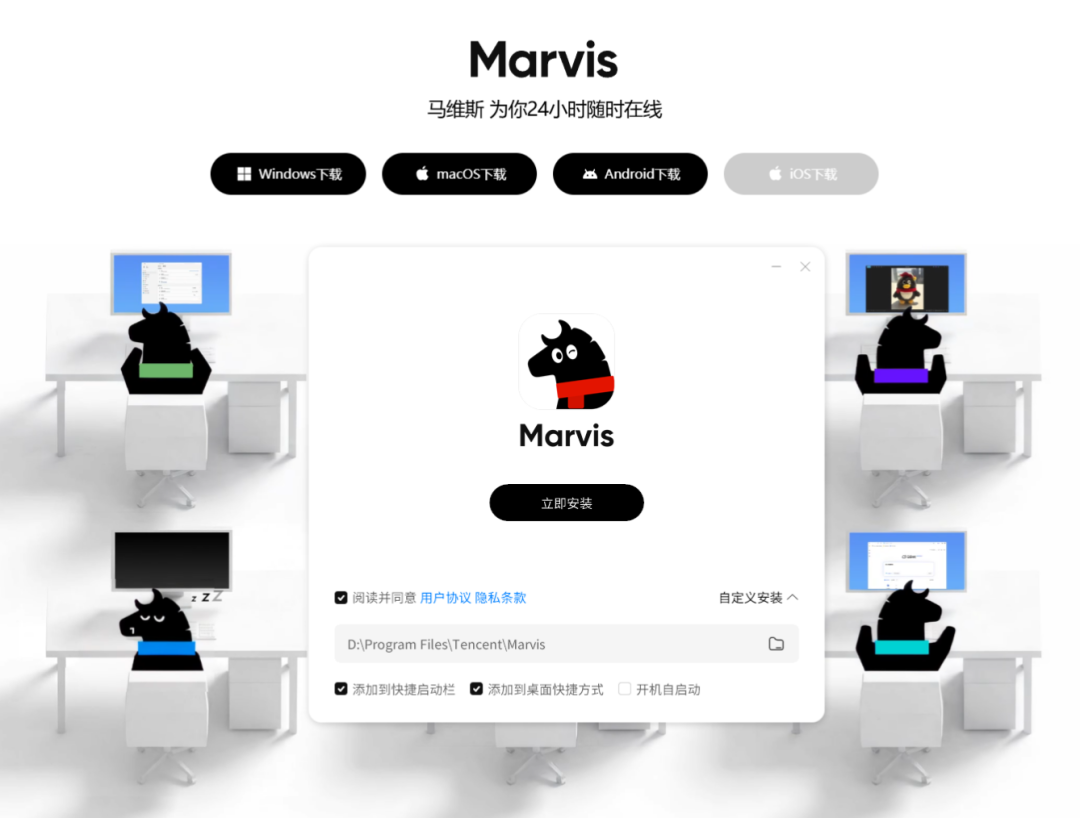
If the previous overview answered the question, what exactly is Marvis, this piece is meant to answer a more practical one:
In which real scenarios does Marvis already feel the most like a usable system-level AI assistant?
I revisited the Marvis official site, several public hands-on posts in Tencent Cloud Developer Community, and a few representative discussions on X. The most interesting takeaway is not that "it can theoretically do everything," but that these three categories already have relatively clear public examples:
- Local document understanding with zero file upload
- Using your phone to remotely control a computer and take over tasks
- Running a full PC health check with a single sentence
In other words, what is taking shape first in Marvis is not abstract AGI. It is a local file workspace, a cross-device control entry point, and a system operations assistant.
The short verdict
- As of June 29, 2026, the most convincing public use cases for
Marvisare not copywriting. They are:- reading local files
- searching local files
- adjusting system settings
- remotely taking over a PC from a phone
- automatically generating diagnostic results
- The two themes repeated most often on the official site also line up with that conclusion:
- Local mode with zero file upload
- Control your computer anytime from your phone
- The public case studies on Tencent Cloud Developer Community have already turned these three directions into workflows that look much closer to real usage.
- From public discussion on X, what people care about most is also not "how good is the chat," but:
- whether the privacy angle of local mode is truly valuable
- whether remote control is real or just a concept demo
- whether it can actually touch the system and files for you
Why these three scenarios are the first to take off
The reason is not that complicated.
If you think of Marvis as a system-level AI assistant, then the places where it should show the clearest differentiation are naturally these:
- Local files that ordinary chat AI cannot see
- The operating system that ordinary web AI cannot operate
- Cross-device scenarios where normal remote tools can connect, but cannot execute tasks by themselves
None of these problems are solved by sounding more human. They all require the assistant to be genuinely plugged into your computer environment.
So the first wave of Marvis value does not really look like:
- helping you write a short paragraph
- summarizing a web page
It looks more like:
- finding something inside a pile of local materials
- taking over your computer while you are away from it
- turning system diagnosis from a tedious specialist task into a one-line request
Scenario 1: Local mode plus document understanding is where Marvis feels most like a real system product
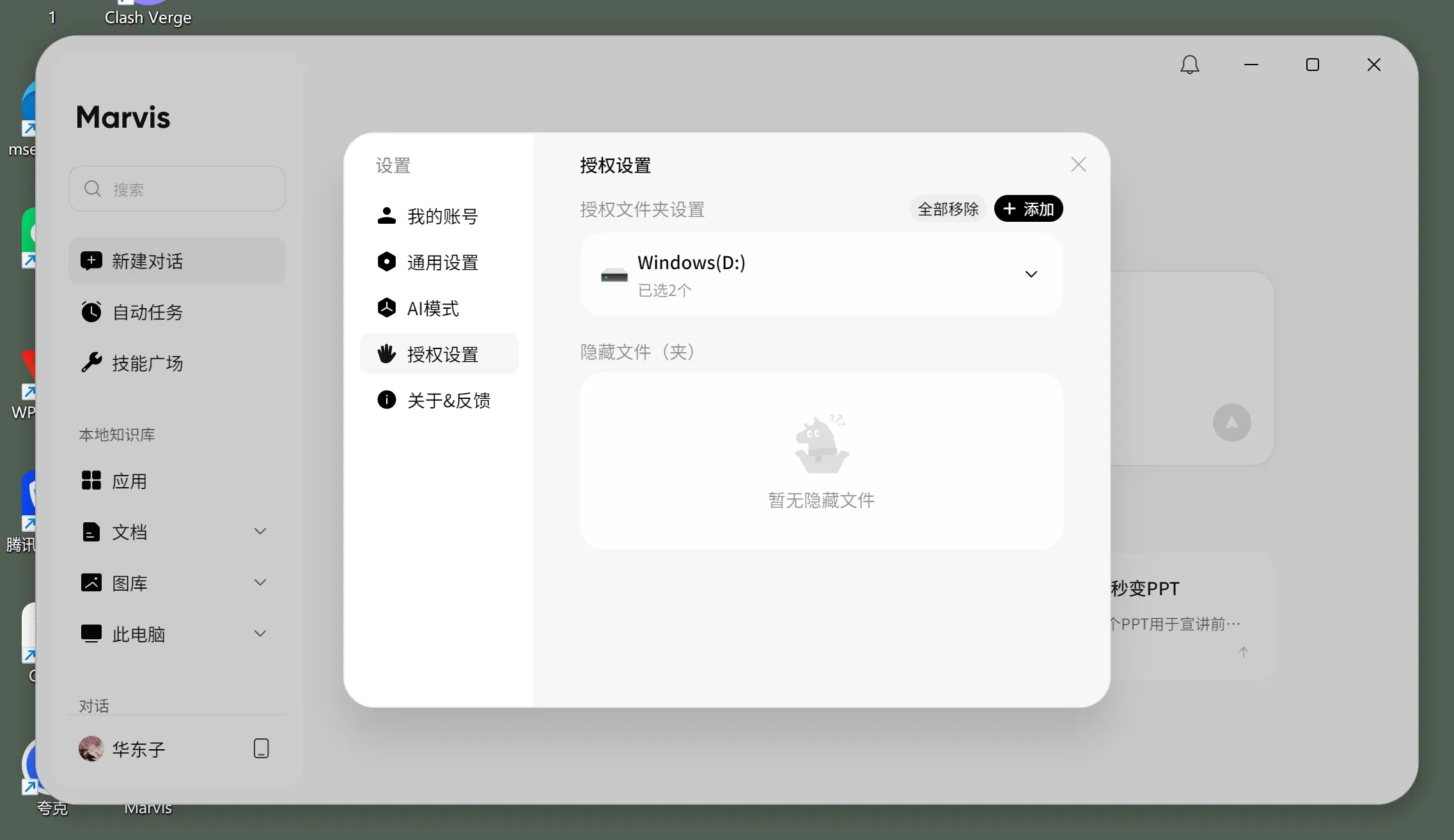
Among the public materials, the piece I would recommend first is this one:
Time-Saving Tool: Hands-On with Marvis Local Document Recognition to Stop Digging Through Folders for Knowledge Search
Its value is not "yet another file search tool." The important part is that it describes Marvis local document capability in a way that feels very close to a real working environment.
Several signals are especially clear:
- support for multiple local formats such as
PDFandWord - scanning scope controlled through authorized folders
- the option to switch into local mode
- the goal is not filename search, but content-based search
That is quite different from a traditional desktop search tool.
Traditional search usually means:
- I roughly remember the filename keywords
- I know which directory the file is in
- I know the extension
What Marvis is trying to support is more like:
- I remember what the file talked about
- I remember which parameter appeared in a PDF
- I remember which field showed up in a contract
- but I do not remember the filename or where I saved it
Why does that matter? Because it hits a very common office pain point directly:
- too many documents
- folder trees that are too deep
- you know the information exists, but still cannot find it
- sensitive materials that you do not want to upload casually to the cloud
The official line around "local mode, zero file upload" matches this public hands-on article well.
That means Marvis is not only talking about the idea. It already has a fairly clear delivery model for this direction:
- authorize folders first
- index the content
- retrieve by meaning and content
This will be especially attractive to roles such as:
- legal teams
- finance teams
- HR
- consultants
- project managers
- engineering teams with heavy technical docs and PDFs
Scenario 2: Phone-based remote control is the feature people are most likely to remember
Among the public write-ups, this is the most shareable direction by far.
Tencent Cloud Developer Community has one article with a very direct title:
Tencent Marvis Hands-On: Once Your Phone Connects to the Computer, It Really Can Direct the PC to Work
What makes that article valuable to me is that it does not frame "remote PC control" as something mystical. It breaks the experience into several practical layers:
- the
Marvisapp on the phone connects to a computer under the same account - you can see the computer screen from the phone
- you can open apps, switch windows, and find files
- you can check how far a task has progressed
- you can step in and take over whenever needed
That shows the difference from traditional remote tools is not whether they can connect. The difference is this:
It is trying to turn remote access into a remote task execution entry point.
Traditional remote tools feel more like:
- I connect to that computer
- then I manually do everything myself
What Marvis is aiming for looks more like:
- I set the goal from my phone
- it handles part of the workflow on the PC first
- I step in only when needed
Who benefits most from that?
- people who travel frequently
- people who switch between office, home, and on-site machines
- people who manage multiple computers
- people who want to help family members troubleshoot remotely
This is also the line that keeps showing up most often in public discussion on X.
Among the representative posts you can find, the focus is highly consistent:
- whether it is really an operating-system-level AI
- whether a phone can truly take over a computer
- whether local mode and end-to-end encryption reduce security anxiety
- whether this kind of product finally moves beyond a chat box
That is why, in terms of external awareness, the most memorable thing about Marvis is not that "it can chat." It is that it can remotely direct a PC to get work done.
Scenario 3: A one-sentence PC health check is the easiest entry point for mainstream users
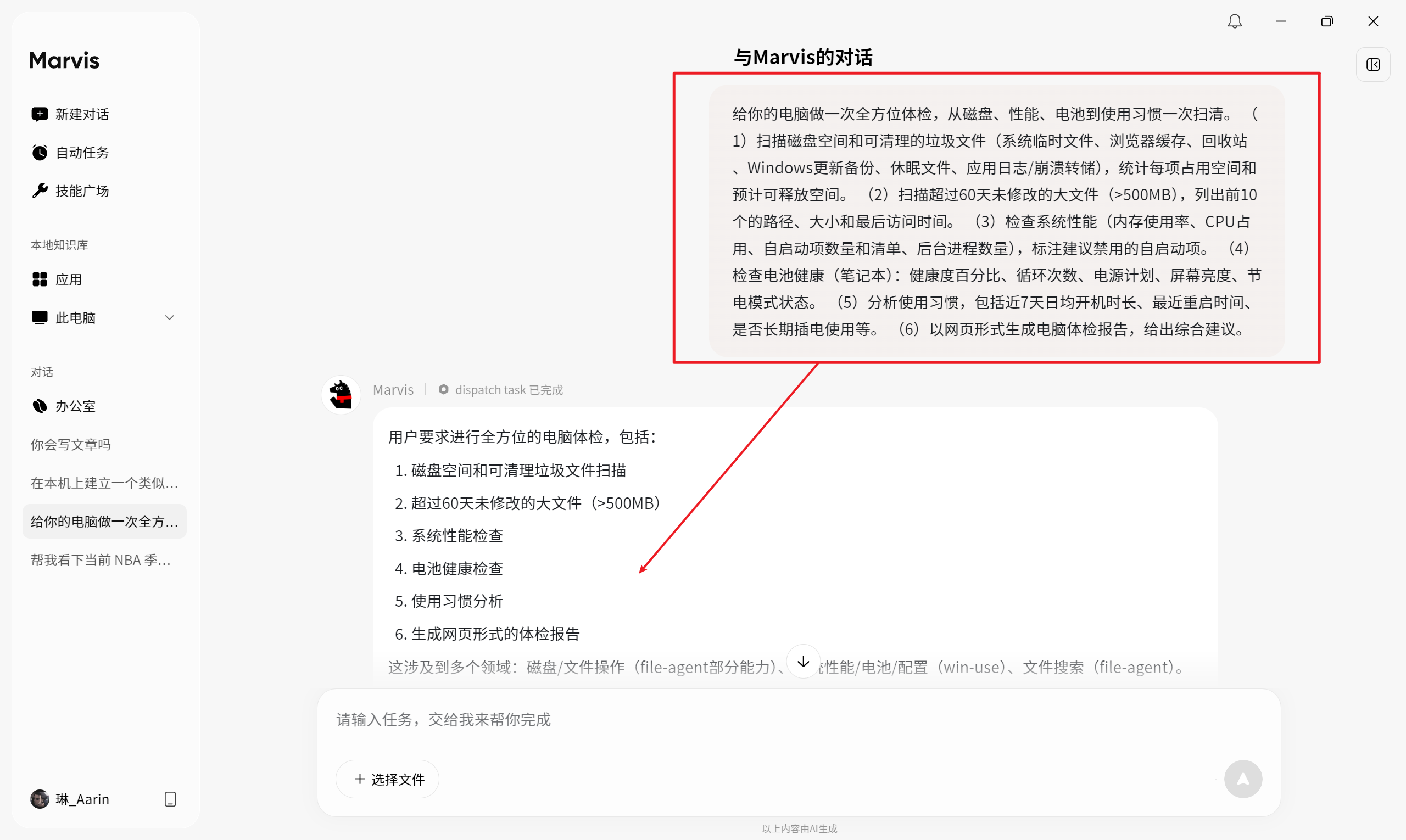
If the first two scenarios lean more toward files and remote control, this third one is more about a system operations assistant.
Tencent Cloud Developer Community also has a public hands-on article for this:
A First Look at Marvis as an Agent Companion: Use Marvis to Run a Full Computer Health Check with One Command
Why is this scenario worth including in an SEO article? Because it feels like the first moment when ordinary users can clearly understand the difference between a system-level AI assistant and a chat AI.
The task breakdown described in the public article is already quite concrete:
- scan disk space and junk files
- identify large files that have not been modified for a long time
- inspect system performance
- check battery health
- analyze usage habits
- generate a web-style health report at the end
The key to this kind of task is not whether the assistant sounds good. The key is that it has to work across:
- the file system
- performance status
- system configuration
- the local runtime environment
What a normal chat AI usually gives you is a checklist:
- where to click
- which settings you can change
- which tools you can install
The direction of a system-level assistant like Marvis is different:
- understand the request first
- split the job across different capability modules
- deliver something much closer to an actual result
From a product-entry perspective, this kind of scenario matters a lot because it makes users realize something for the first time:
AI does not only give tutorials. It can remove part of the system maintenance work for you before you even start.
Put together, what does Marvis look like in a real production environment?
If you put these public examples together with the official product pages, the current shape of Marvis in a real usage environment looks roughly like this:
- a persistent desktop entry point
- local file authorization with explicit scan boundaries
- two mental models for how it runs: efficiency mode and local mode
- cross-device handoff from phone to computer
- system tasks that can be triggered directly with natural language
That means what it resembles most right now is not a traditional "AI Q&A product," but:
a task hub for your computer
What it is trying to absorb is not search-engine behavior, but workflows like:
- finding files
- checking information
- watching task progress
- changing settings
- handling remote control
- running small system automations
Who should try it first
People who should test it now
- people with lots of local documents, images, and materials
- people who care deeply about privacy and do not want to push every file to the cloud
- people who travel often or constantly move across devices
- people who often help coworkers or family members solve computer problems
- heavy Windows or macOS users
People who can wait and watch
- people who only want a normal chat AI
- people with almost no need for local files, system operations, or remote control
- people who do nearly all their work inside a browser
- people unwilling to grant a desktop agent access to local folders and system capabilities
If you want to plug Marvis-like workflows into custom models, where is the buying value?
From a reader's perspective, the more practical question is usually not whether something looks cool, but:
- whether token costs stay predictable for multi-file, multi-step tasks
- whether file-heavy and system-heavy workflows need routing across multiple models
- whether different agents and team members can share one unified gateway
So if you are building a desktop agent, file agent, or system automation assistant, a unified model gateway is often more useful than relying on a single model endpoint.
You can continue from these entry points:
My final take
If I had to summarize my view of the current public Marvis case studies in one sentence, it would be this:
What is taking off first is not a "universal computer AI," but three very grounded capabilities: local file understanding, phone-based remote computer takeover, and small-scale system automation.
These three directions matter because none of them is where ordinary chat AI is strongest, and all of them are exactly where a system-level assistant has the best chance to open a real gap.
In other words, what deserves the most attention right now is not how many things Marvis can theoretically do. It is that it has already started to pull several high-frequency, annoying tasks into one unified entry point:
- finding local materials
- remotely taking over a computer
- solving system problems with natural language
If it keeps going deeper on these three lines, it will feel less like "another Tencent AI product" and more like a genuinely usable agent layer on top of the computer.
References
- Marvis official site
- Inside Marvis: An AI multi-agent system that can "take over" your computer
- Time-Saving Tool: Hands-On with Marvis Local Document Recognition to Stop Digging Through Folders for Knowledge Search
- Tencent Marvis Hands-On: Once Your Phone Connects to the Computer, It Really Can Direct the PC to Work
- A First Look at Marvis as an Agent Companion: Use Marvis to Run a Full Computer Health Check with One Command
- X: Tencent yesterday launched Marvis, an OS-level AI assistant
- X: Marvis supports two modes, including a privacy-oriented local mode with file 0 upload