Tencent Marvis Local Mode Review: Is Better Privacy Worth Giving Up Some Speed?
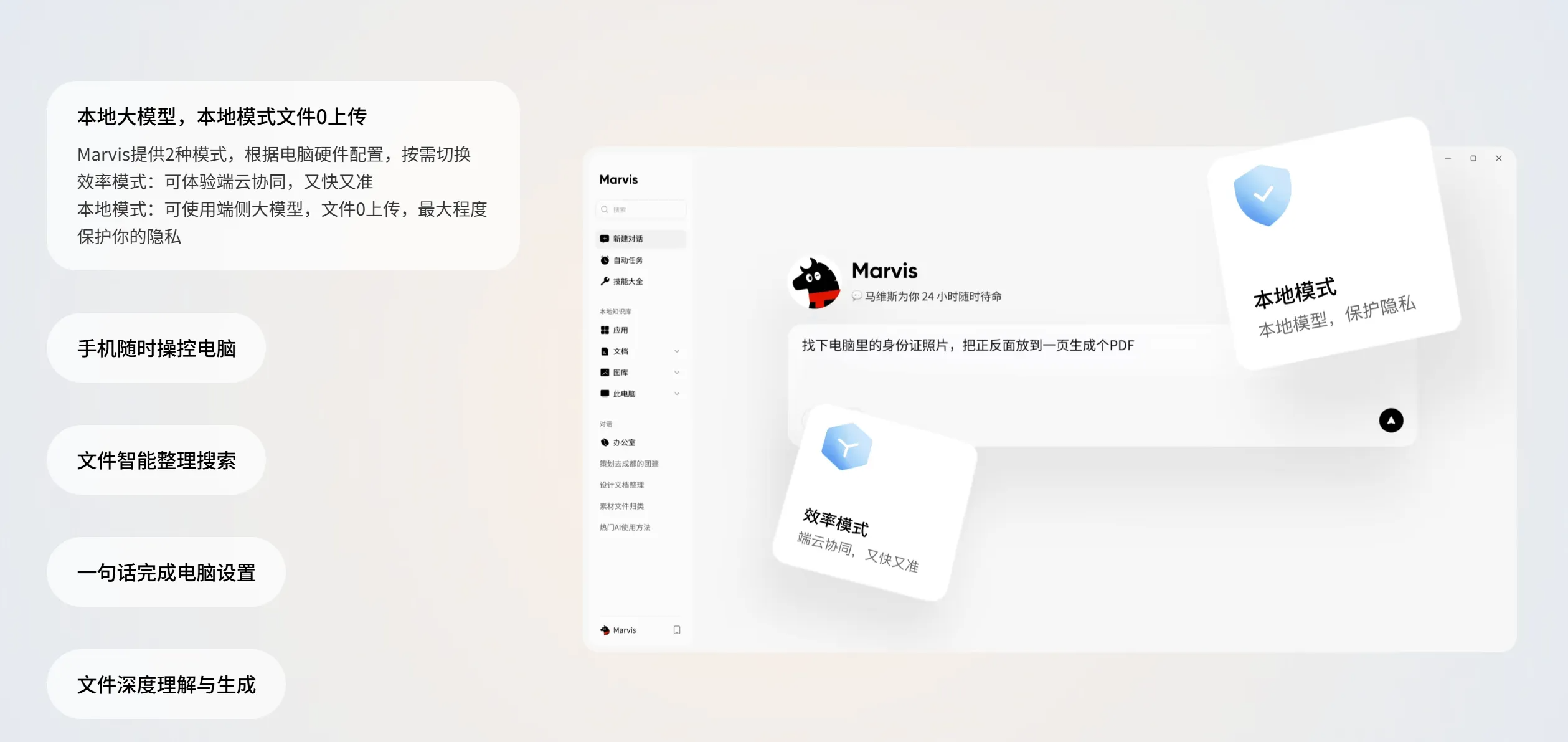
When people first see Marvis, the hooks are obvious: controlling your PC from your phone, a system-level AI assistant, and direct access to local files.
But once you think about using it in a real workflow, the bigger question is something else:
Is Local Mode actually worth turning on?
For this review, I went back through several public hands-on articles and focused less on "what Marvis can do" and more on:
- what really changes between Local Mode and Efficiency Mode
- how much speed you give up
- whether the privacy boundary is strong enough
- which tasks belong in Local Mode
- and which tasks are better left elsewhere
After reading them, my takeaway is pretty clear:
If you handle contracts, finance files, HR records, or sensitive project materials that should not casually go to the cloud, Marvis Local Mode is absolutely worth a serious look. But if your computer is modest and your tasks lean toward long-form reasoning, you need to accept the tradeoff: Local Mode is safer, but usually slower.
The short verdict
- As of June 29, 2026, public testing suggests that
Marvishas two core runtime styles that can be understood like this:- Efficiency Mode: hybrid local plus cloud execution, faster and stronger for most everyday tasks
- Local Mode: files and data stay on the device as much as possible, better suited for high-sensitivity work
- If what you care about most is:
- contracts
- financial spreadsheets
- HR documents
- privacy around local files then Local Mode is one of the clearest product differentiators Marvis has.
- If what you care about most is:
- complex long-form reasoning
- very large files
- smooth performance on older hardware then Local Mode may not be the best default.
Why Local Mode is a real product dividing line
Plenty of AI tools talk about privacy, security, and enterprise readiness, but in practice the default pattern is still simple:
- data goes to the cloud
- the model runs in the cloud
- the local app is mostly just an input box
What makes Marvis different is that Local Mode is presented as an actual product-level choice, not just a marketing sentence.
The core distinction described in public testing is straightforward:
- Efficiency Mode
- hybrid local plus cloud execution
- task understanding and planning can use cloud models
- faster responses and stronger reasoning
- Local Mode
- uses on-device models
- file handling and index building stay on the computer as much as possible
- better suited for highly sensitive data
That is why I think the real dividing line is not whether it can chat well. It is this:
Are you using it like a cloud assistant, or like a local workstation?
Comparison 1: The real value of Local Mode is not technical novelty, but zero file upload
One line from the public product imagery stands out immediately:
- Local large model, zero file upload in Local Mode
Why does that matter? Because in many office workflows, the main reason people hesitate to use AI is not poor output quality. It is questions like:
- Can the file stay local?
- Will financial data be uploaded?
- Will contract content enter a third-party system?
- Can project materials stay on my own machine?
For the following kinds of content, Local Mode is not mainly about speed. It is about trust:
- financial reports
- legal contracts
- bidding documents
- HR archives
- client lists
- strategy documents
If your job touches these materials, the value becomes obvious:
Local Mode is valuable first because it gives people a reason to use AI at all.
Comparison 2: Public testing is honest about the cost - Local Mode is usually slower
I do not want to frame Local Mode as "secure, fast, and good at everything," because the public testing pieces are already clear about reality.
Across those articles, the conclusion is consistent:
- Local Mode responds more slowly than cloud-backed operation
- the gap is more noticeable during complex reasoning
- large files, long documents, and heavy analysis depend more on hardware
The public comparison article Marvis vs ChatGPT/Claude: A Real Enterprise Office AI Comparison makes this especially concrete:
- handling large files in Local Mode places much higher demands on the computer
- with something like an
i5 + 8GBmachine, the experience may degrade significantly - an
i7 + 16GBclass machine is much more appropriate
That makes sense. The whole point of Local Mode is this:
Some of the compute burden that would normally sit in the cloud gets pushed back onto your own computer.
So this is not privacy at zero cost. It is:
better data control in exchange for local hardware load and a bit more waiting.
Comparison 3: Not every task should run in Local Mode
This is where I think many people get it wrong.
Once they hear "Local Mode is safer," the instinctive reaction is:
- so should I just leave Local Mode on all the time?
Based on the public testing, that is not the most practical way to use it.
The product design itself points toward a more realistic workflow:
- everyday general tasks
- stay in Efficiency Mode
- high-sensitivity files
- switch to Local Mode
That is a very workable layered strategy.
Tasks that fit Local Mode better
- contract review
- financial analysis
- HR document handling
- local file search
- archiving sensitive project materials
Tasks that fit Efficiency Mode better
- general writing
- generic plans and proposals
- long-form complex reasoning
- summarizing non-sensitive files
- tasks where speed matters most
In one sentence:
Local Mode should not be the always-on default. It should be turned on when privacy boundaries actually matter.
Comparison 4: Local Mode plus phone-to-PC control is what makes it feel like an enterprise assistant
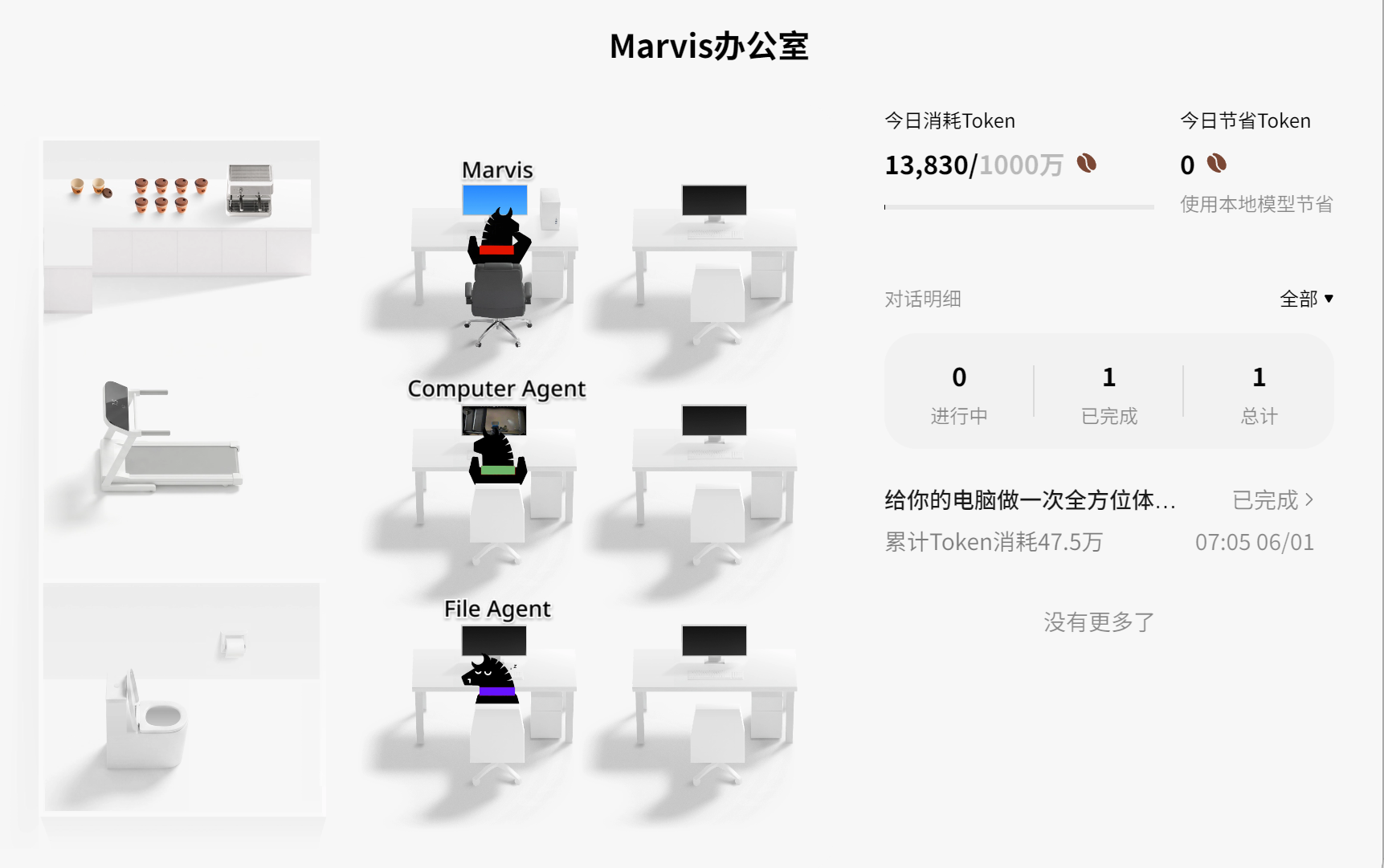
What makes Marvis feel less like a normal chat tool is that it ties Local Mode, file handling, and cross-device control together.
Public hands-on examples mention actions like:
- viewing the desktop from a phone
- finding files remotely
- compressing files
- sending emails
- forwarding files through WeChat
If those actions only happened through the cloud, many companies would never be comfortable with them. But when the files and execution stay largely local, the value of Local Mode becomes much bigger.
Because what many companies actually want is not:
- AI that sounds smarter
It is:
- Can AI handle work that lives on local computers?
- Can it do that without casually shipping important files to the cloud?
Seen that way, Local Mode is not just a privacy feature. Together with phone-to-PC control, file search, and system-level actions, it becomes:
a safety valve for enterprise local workflows.
Comparison 5: Security boundaries are not just about local files, but also confirmation before critical actions
Another important point from the public testing is that:
- when Marvis is about to change important system settings
- such as deleting system files or editing the registry
- it prompts the user for a second confirmation
That matters because the security boundary is not only "files stay local." It also includes:
- confirmation before critical actions
- system-level changes that are not allowed to run unchecked
This is especially important in Local Mode. The closer AI gets to the real machine, real files, and real system settings, the more important it becomes to emphasize not only convenience, but also:
control.
Otherwise Local Mode would just mean "more permissions," not "better for enterprise use."
The real tradeoff I see from the public testing
If you put the public material together, the real tradeoff in Marvis Local Mode is pretty clear:
- What you gain:
- stronger privacy boundaries
- zero file upload
- a better fit for sensitive office data
- closer access to local files and system-level tasks
- What you usually pay:
- slower responses
- higher hardware requirements
- weaker performance for complex long-form reasoning
That is not a flaw. It is a normal engineering tradeoff.
So I prefer to frame it this way:
The question is not whether Local Mode is the best mode overall. The question is whether it is worth switching on when the stakes are high.
Who should try it first
People who should try it now
- enterprise teams with strong data privacy concerns
- people who regularly handle contracts, finance files, or HR documents
- teams that already keep a lot of materials on local machines or shared folders
- teams that want AI close to local files without defaulting to the cloud
- knowledge workers with reasonably capable computers
People who can wait and watch
- people with weaker hardware who still want heavy local reasoning for long periods
- people whose main need is long-form writing or very long context work
- people whose tasks are mostly non-sensitive and who only want maximum speed
- people who do not need local files or system actions and mainly want a chatbot
If you want to test it yourself, here is the best way
- Do not test only whether chat feels fast. Test it with sensitive office tasks directly.
- The best entry points for comparison are usually:
- contract review
- financial table analysis
- local file search
- Excel / Word output
- remote phone-based handling of local files
- Do not judge only answer quality. Focus on:
- whether files really stay local
- whether Local Mode is fast enough for your workflow
- whether your hardware can handle it
- whether there is a confirmation boundary for critical actions
- If your company is already piloting enterprise AI, it is also useful to compare:
- which tasks should always stay in Local Mode
- which tasks should keep using Efficiency Mode
- which tasks are simply better handled by
ClaudeorChatGPT
If what you care about more right now is how to connect Tencent-family models, GLM, Kimi, DeepSeek, StepFun, and others into one Agent workflow, you can start here:
My final judgment
If I had to summarize my view of Marvis Local Mode in one sentence, it would be this:
The most important thing about it is not that it can run a local large model. It is that it gives enterprise office users a more realistic option: trade some speed and hardware cost for a clearer privacy boundary when the task is genuinely sensitive.
That matters more than simply asking which assistant is faster or smarter. Because what many companies really lack is not a more talkative AI. They need:
a working entry point that can stay close to local files and system tasks without defaulting to the cloud.
If your top priority is security boundaries and local execution, Marvis Local Mode is well worth testing seriously.
If your top priority is only the fastest possible general-purpose generation, it may not be the default best choice.