Tencent Marvisファイル管理ユースケース:消えたファイルの発見、画像OCR、AIギャラリー検索

このMarvis記事で扱う問いはかなり日常的です。filenameもfolderも覚えていないが、ファイルの内容、写真の中身、スクリーンショットの文字だけは覚えているとき、Marvisはそれを見つけられるのか。
公開資料を見ると、Marvisのfile manager方向の面白さは検索欄を増やすことではありません。semantic file search、image OCR、AI gallery、authorized local folders、bulk organizationを組み合わせ、PC上のfile workspaceに近づけることです。
Start with the conclusion
- 2026年6月29日時点で、Marvisのfile manager / image search系公開能力は4つに整理できます。
- time、content、visual traitsでfileを探す
- image content と text inside images を検索する
- people、theme、holiday、locationでAI galleryを整理する
- authorized folders内でlocal document recognitionとbulk organizationを行う
- 価値は「検索できる」ことではなく、人間の記憶に近い探し方をできることです。
Why file search is a better test than flashy demos
実際のPC作業では、派手なdemoより「保存したはずのfileが見つからない」「screenshot内の文字で探したい」「PDFをfilenameではなく内容で探したい」という小さな問題が何度も起きます。ここを解けるかがsystem-level assistantの実用性をよく示します。
The official positioning is already clear: file content, image content, and text inside images are all searchable
Marvis公式の見せ方では、file content、image content、image内textが検索対象になります。これは通常のfilename searchより一段深いretrievalです。
Use case 1: Recovering a "disappearing" file is really a semantic search problem
1.1 Search by time
「先週編集した」「昨日保存した」のような時間記憶で探せることは、現実のfile recoveryで非常に重要です。
1.2 Search by content
「invoiceという単語が入っていた」「あるclient名が出ていた」のような内容記憶で探せると、filenameを忘れても戻れます。
1.3 Search by traits
「blue coverのPPT」「beach photo」のようなvisual traitsで探せると、image OCRやgallery searchの価値が出ます。
Use case 2: A department lead finds two hours of materials in five minutes
公開事例の価値は、検索のdemoではなく時間短縮です。複数folderを開いて人間が探す作業を、content searchとsummaryで短縮できます。
Use case 3: It does not just find files, it can batch-organize them and confirm before deletion
file整理で重要なのは自動削除ではなく、候補を集め、分類し、削除や移動の前に確認できることです。ここは安全性に直結します。
Use case 4: Local document recognition brings in folder authorization, scan scope, and privacy mode
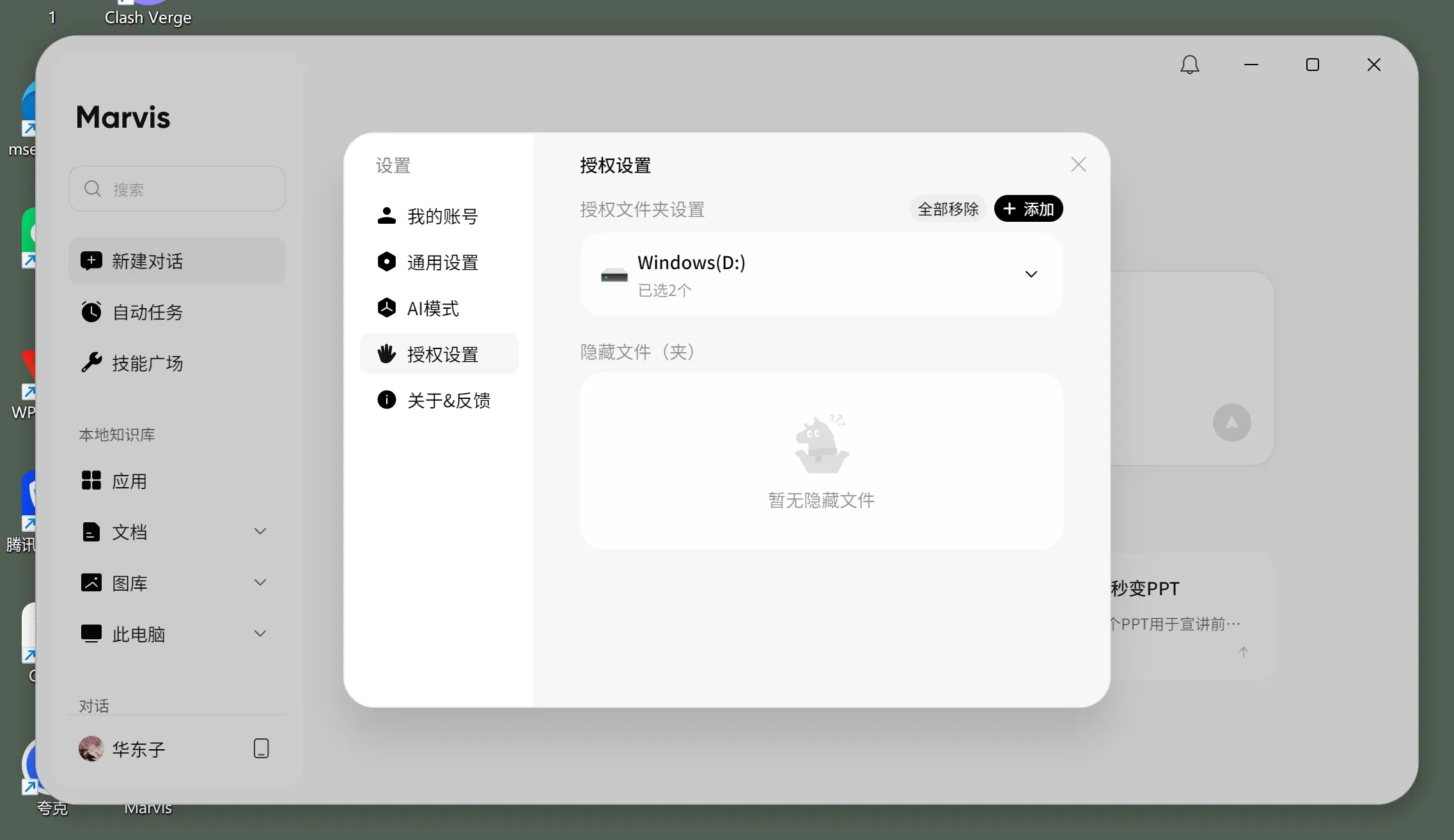
local document recognitionでは、どのfolderを許可するか、scan scopeをどう切るか、sensitive filesをlocal modeで扱うかが重要です。
AI gallery search is where it starts to separate itself from ordinary file search
AI galleryでは、人、場所、holiday、themeで写真を探す方向が見えます。これはdocument searchではなく、PCが画像の内容を理解する方向です。
Why this is not the same thing as a local knowledge base
local knowledge baseは主にdocument Q&Aに寄ります。file managerは、探す、整理する、移動する、重複を扱うなど、PC上のfile operationに近い領域です。
Who should try it first
Good candidates to try it now
- screenshots、invoice、PDF、Word、Excelを頻繁に探す人
- downloads folderやdesktopが散らかりがちなteam
- imageやdocumentの中身で探したいknowledge worker
People who can wait and watch
- file数が少なく、folder namingがすでにきれいな人
- sensitive file policyが未整備でscan permissionを決められない組織
If you want to connect a Marvis-like file and image workflow to custom models, where is the buying value?
購入価値は、安いtokenだけではなく、image OCR、document understanding、semantic retrievalをworkflow単位で組み合わせられるかにあります。
My final judgment
Marvisのfile manager方向は地味ですが実用的です。file nameではなく、人間が覚えている内容、時間、見た目で探せるなら、desktop AIとしての価値はかなりわかりやすくなります。
References
- Marvis Official Website
- Marvis Tutorial (2): File Manager - Recover "Disappearing" Files with One Sentence
- Save Time in Practice: Using Marvis Local Document Recognition to Stop Digging Through Folders for Knowledge Search
- Beginner's Complete Guide: Using Tencent Marvis for Personal Knowledge Management and Intelligent Q&A