Tencent Marvis Customer Support Review: FAQ Agent, Ticket Automation, and Why It Is Starting to Look Like a Real Help Desk

If you still think of Marvis only as a system-level AI assistant that can operate a computer, you are probably missing the part that looks much closer to business operations.
I went back through several public materials specifically tied to customer support, FAQ agent workflows, historical ticket understanding, ticket automation, and help desk collaboration. After reading them side by side, my takeaway is pretty clear:
The most realistic place for Marvis to prove ROI inside a company may not be the flashy "remote computer control" demo. It may be the repetitive, high-volume, must-not-break support workflow that frontline teams deal with every day.
Why? Because the hardest part of customer support is often not that the team "doesn't know the answer." It is that:
- documents, FAQs, SOPs, and historical tickets live in different places
- new requests require agents to search manuals and old cases before replying
- 24/7 coverage is expensive, especially outside business hours
- when automation fails, someone still has to repackage the problem into a ticket and hand it to a human
That is exactly where the public Marvis cases start to get interesting.
Start with the verdict
-
As of June 29, 2026, the most useful Marvis customer support signals in public materials are not generic "AI Q&A" claims. They are the more concrete pieces of a support workflow:
- Multi-format document understanding across product manuals, FAQ files, and historical tickets
- Natural-language Q&A instead of rigid command syntax
- Multi-turn context handling so follow-up questions stay on track
- Ticket automation and routing when the system cannot fully resolve the issue
-
The public case studies also include unusually direct business numbers:
- response time reduced from 3 to 5 minutes to within 5 seconds
- a traditional 20-person support setup reduced to 5 human agents with AI handling 80%
- monthly savings of 85,000 RMB
- payback period of 0.4 months
-
Those numbers come from public case-study framing, so they are not guarantees. But they do show something important:
Marvis is no longer being presented as a chat box demo. It is being positioned as part of a real help desk loop.
Why customer support reveals whether a system-level AI is real
In ordinary office work, plenty of AI products can already do a few things that look impressive:
- summarize a document
- draft an email
- produce a lightweight spreadsheet analysis
Customer support is different. It behaves less like a one-time productivity trick and more like a continuously running system.
A real help desk has to survive:
- high frequency
- repeatability
- low tolerance for mistakes
- shift handoffs
- unresolved issues that must keep moving downstream
So the core test is not "can it chat?" The test is:
Can it connect knowledge, context, actions, and escalation into one support workflow?
That is why I think support operations are a better truth test for Marvis than the usual "it helps me write faster" category.
Case 1: The Marvis FAQ agent story is not just Q&A, it starts with manuals, FAQs, and old tickets
In the public article Exploring 3 High-Value AI Agent Use Cases in Enterprise Scenarios, the first highlighted use case is explicit:
Intelligent customer support and Q&A systems
What stands out is that the article does not keep the discussion abstract. It names three classic support problems:
- high labor cost because
7x24coverage needs many service agents - slow response time and long wait times
- difficult knowledge updates when products change faster than training can keep up
The most important sentence in its proposed AI Agent approach is this:
Using Marvis "Work Helper" as an example, it can automatically read product manuals, FAQ documents, and historical tickets.
That line matters more than it may look at first glance. A lot of so-called AI customer support products can only read a neatly prebuilt knowledge base.
This public Marvis case points to three much more realistic sources:
- product manuals
- FAQ documents
- historical tickets
That combination looks closer to how real support teams actually work. Frontline agents rarely rely on a clean FAQ alone. They rely on:
- what the formal documentation says
- how similar cases were solved before
- whether there were special conditions, exceptions, or old pitfalls
What the screenshot suggests
Even the public screenshot at the top tells you Marvis is trying to simulate something more structured than generic chat.
You can see a fairly standard support entry point:
- a top prompt asking how it can help
- three fast actions below the input box:
Check order statusReset passwordContact human support
That is not the design language of "ask me anything and let's see what happens."
It is closer to a real help desk pattern:
- catch high-frequency intents first
- still allow free-text input
- always preserve a human handoff path
That matters because the biggest support load is usually not the edge case. It is the repeated standard request that arrives hundreds of times a day.
Case 2: Multi-turn context is what turns Q&A into a usable support workflow
The same public case also explicitly says Marvis supports:
- natural-language interaction
- multi-turn dialogue management
- context memory
Why is that important?
Because users almost never explain their issue perfectly in the first message.
What support teams deal with in practice is usually this:
- the first description is incomplete
- the real issue only appears through follow-up questions
- if context breaks, the experience gets bad very quickly
Any modern chat model can hold a conversation. But inside a help desk, the harder question is:
- can it remember the earlier steps
- can it narrow down the problem instead of restarting
- can it pass the already-collected context into the next stage if escalation is needed
That is why the value here is not merely "it supports multi-turn chat."
It is that Marvis starts to look like a front desk that can:
- receive the request
- ask follow-up questions
- keep the thread coherent
- preserve that thread for the next person or process
Case 3: Ticket automation is the point where Marvis starts to resemble a real help desk
This is where many AI support products still fall short.
They can answer simple questions. But when they cannot solve the issue, the workflow breaks.
The user is pushed to find a human manually. The agent restarts the investigation from scratch. The earlier context gets lost.
The public Marvis case is more specific. It says unresolved problems can:
- automatically generate a ticket
- complete assignment and routing
That is a meaningful step up.
Because once an AI system can move from:
- answering questions
- to classifying issues
- to creating tickets
- to handing the work to humans
it stops looking like a chatbot widget and starts looking like the first layer of a service desk.
For anyone evaluating Marvis ticket automation, this is probably the most important signal in the whole set of public materials.
Case 4: The ROI numbers should be treated carefully, but the evaluation framework is useful
The same public case includes a more business-like table built around an e-commerce customer support scenario.
The rough comparison looks like this:
- response speed:
- traditional support:
3 to 5 minutes - AI-agent support:
within 5 seconds
- traditional support:
- labor cost:
- traditional:
20 people / month - after AI support:
5 people / month, with AI handling 80%
- traditional:
- customer satisfaction:
- from
75%to88%
- from
7x24service:- unstable with manual-only coverage
- continuously covered with the AI setup
The ROI framing is even more direct:
- AI system cost:
RMB 5,000 / month - 5 human support agents:
RMB 30,000 / month - combined monthly cost:
RMB 35,000 - compared with a traditional 20-person support team:
RMB 120,000 / month - monthly savings:
RMB 85,000 - annual savings:
RMB 1,020,000 - payback period:
0.4months, or roughly 12 days
These numbers still need to be read as public case-study math, not your own finance sheet.
But they are useful for one reason:
They show the right way to evaluate a support AI workflow.
Not by asking whether the output "sounds smart," but by asking:
- how much response time falls
- how many standard requests the FAQ agent can absorb
- whether the human team can shrink into a smaller, more experienced escalation layer
- whether satisfaction moves in a measurable way
That is a much better frame than generic AI productivity claims.
Case 5: The 6-agent collaboration story suggests Marvis is not a solo bot
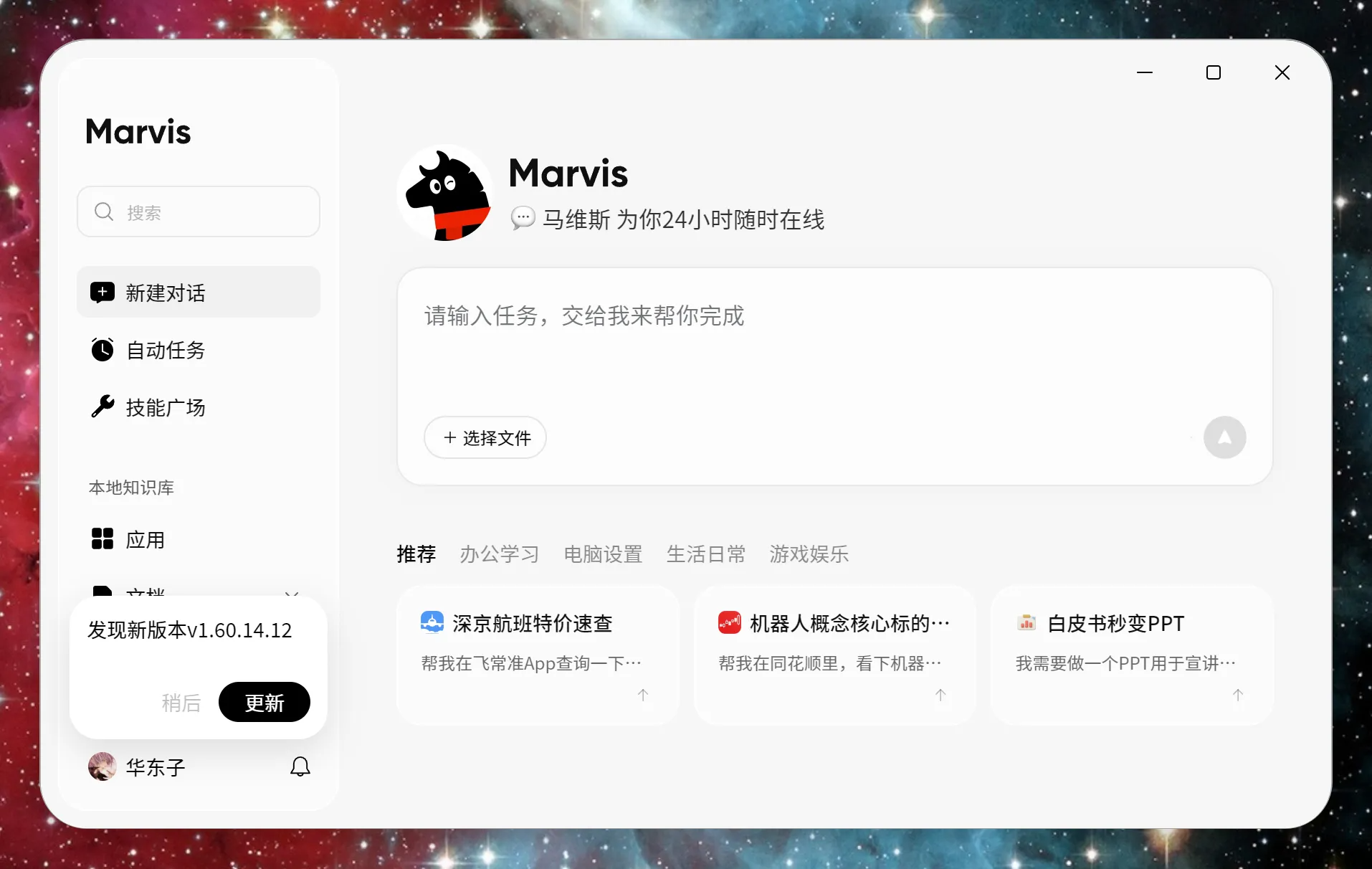
If you only read the ROI-oriented article, you might assume this is still one general-purpose helper doing everything alone.
Another public article, Marvis 6-Agent Collaboration in Practice: Using "Work Helper" as the Example, adds an important detail:
Work Helper does not operate in isolation. It often collaborates with other agents.
The six public agent roles listed there are:
- Fan Companion
- Game Partner
- Intelligence Monitor
- Knowledge Manager
- Work Helper
- Computer Manager
For help desk and support workflow analysis, the most relevant trio is:
Knowledge ManagerWork HelperComputer Manager
The article says this directly:
Work Helper is the core Agent for office scenarios, and it often collaborates with Knowledge Manager for document retrieval and Computer Manager for file search.
In a support context, that is more interesting than it sounds.
It suggests a plausible frontline workflow like this:
- Computer Manager locates local files or the right supporting material
- Knowledge Manager retrieves and extracts the relevant knowledge
- Work Helper turns that into an answer, an explanation, or a ticket draft
That looks less like one magic chatbot and more like a miniature service team:
- one role finds the material
- one role interprets the knowledge
- one role returns the answer to the user
For Marvis customer support use cases, that division of labor may matter more than model benchmarks.
Case 6: Why this may be more interesting than a cloud-only support bot
Another combination in the public materials is especially relevant if you care about support operations rather than demos.
The official Marvis homepage has repeatedly emphasized:
Local Mode0 file uploads- on-device large models
- sensitive files stay off the cloud
Once you reinterpret that through the lens of customer support or internal help desks, the value changes immediately.
Because many real support environments are not blocked by capability first. They are blocked by data boundaries:
- documents contain sensitive information
- tickets contain user privacy data
- FAQs and historical logs contain internal rules and edge-case knowledge
If the workflow requires uploading everything into a cloud system, many teams will reject it before accuracy even becomes the question.
That is why Marvis's public direction around local mode + local files + local knowledge is more relevant than it first appears for:
- internal IT help desks
- HR policy Q&A
- finance reimbursement FAQs
- customer support back-office knowledge assistants
This is also why I would not compare it directly with a simple web-based support bot that only answers from a hosted knowledge base.
One behaves more like a front-end chat entry point.
The other is starting to look like:
a frontline support workstation that can touch local materials, retrieve knowledge, preserve context, and continue the workflow.
What the public cases imply about real production use
If you stitch these public examples together, the production picture for Marvis in customer support and help desk scenarios becomes fairly recognizable:
- the inputs are not vague prompts, but real support materials such as FAQs, product manuals, and historical tickets
- the output is not just an answer, but a context-aware support thread that may continue into ticket creation
- response time and labor replacement are already being framed with business metrics
- Work Helper is not a lone actor and can collaborate with Knowledge Manager and Computer Manager
- local mode gives Marvis a better chance to enter internal support and privacy-sensitive knowledge environments
That is why I read the public direction this way:
Marvis is moving from "an AI assistant on your computer" toward "a frontline help desk that can actually take a ticket."
Which teams should test this first
The teams most likely to get useful signal first are probably:
- front-office support teams in e-commerce, retail, and SaaS
- internal support teams with large FAQ volume and repeated ticket patterns
- teams that need basic
7x24coverage but find overnight staffing too expensive - companies with lots of local SOPs, documents, and historical case archives
- departments that are sensitive about privacy and do not want all support materials uploaded to the cloud
On the other hand, the value may feel weaker if your team has:
- very low ticket volume
- few standard questions
- poorly organized source materials
- mostly offline and inconsistent service processes
In that kind of environment, the bottleneck is not the agent yet. It is the support system underneath it.
If you want to test Marvis properly, do not start with "can it chat?"
The lazy but accurate test is to run it against a real support workflow instead of a demo prompt.
Try something like this:
- Take a real FAQ set and product manual, then test whether it can answer standard questions at roughly a
5-secondservice level. - Use a batch of historical tickets and see whether its answers stay grounded in prior cases instead of improvising.
- Create a few deliberately unresolvable problems and check whether it can turn the captured context into a useful ticket draft.
- Let a support lead review the outputs, not just for tone, but for whether repeated manual work actually drops.
- Test local mode separately if privacy matters to your team, because that may matter more than raw model quality.
If you are also comparing model access and deployment cost while building a Marvis-like support workflow, these are the practical next stops:
Final take
If I had to summarize the real value of these Marvis customer support cases in one sentence, it would be this:
What matters is not whether Marvis can answer a question once. What matters is that it is beginning to connect FAQ handling, historical ticket understanding, context memory, ticket automation, and local knowledge into a support workflow that looks increasingly like a real help desk.
If that direction keeps maturing, the first thing it may change is not just reply speed. It may change the structure of the whole support team:
- standard questions move to AI first
- human agents spend more time on exceptions and harder cases
- onboarding becomes easier because historical knowledge is easier to surface
- off-hours coverage becomes cheaper
- old ticket knowledge stops staying trapped inside past cases
That is why I think Marvis is starting to look less like a chat tool and more like a frontline service desk.
References
- Exploring 3 High-Value AI Agent Use Cases in Enterprise Scenarios
- Marvis 6-Agent Collaboration in Practice: Using "Work Helper" as the Example
- I Used Tencent Marvis for a Day and Decided This Dark Horse Belongs on My Computer
- Tencent Marvis Official Website
- X: Marvis enters the public spotlight as Tencent's operating-system-level AI assistant