Tencent Marvis 6-Agent Team Review: Why PM, File, Computer, and Browser Agents Make It Feel Like a Desktop Workforce

If you think of Marvis as just another chat AI from Tencent, the easiest thing to miss is the part that behaves nothing like a normal chat box.
I went back through several kinds of public material for this piece:
- the
Marvisofficial site - hands-on tutorials from Tencent Cloud Developer Community
- public multi-agent collaboration case studies
After reading them side by side, my conclusion is pretty clear:
The most important thing about Marvis is not how human its answers sound. It is that it is starting to hand desktop tasks to an "AI team" with clear division of labor.
In other words, it is no longer just:
- you ask one question
- it gives one answer
It is starting to look more like:
- you assign one task
- it breaks the task into steps
- routes different steps to different agents
- and then returns the result
That is why I think Marvis feels more like:
a digital workstation on your desktop
rather than:
another chat wrapper around a model
Conclusion First
-
As of June 29, 2026, public materials describe
Marvisquite explicitly as:- a system-level AI assistant
- a 1+5 agent collaboration architecture
- or, even more directly, a 6-person AI team inside your computer
-
In public tutorials, the most common division of labor looks like this:
- PM Agent: understands the task, breaks it down, and routes it
- File Agent: finds files, converts formats, reads documents, and handles content understanding
- Computer Agent: checks system settings, optimizes startup items, and handles system-level adjustments
- APP Agent: operates apps, runs flows, and handles cross-application execution
- Search Agent: searches the web, aggregates information, and surfaces sources
- Browser Agent: extracts webpage data, interacts with pages, and handles page-level tasks
-
The key signal is not simply that it has "six agent names." It is that public tutorials already show concrete task chains such as:
- slow computer startup ->
PMroutes the job toComputer Agent - multi-department meeting notes -> multiple agents extract decisions, generate a
PPT, and add reminders - file conversion, contract review, and spreadsheet analysis -> file- and office-oriented agents handle the work
- slow computer startup ->
-
If what you care about right now is:
- how a desktop agent differs from ordinary chat AI
- whether multi-agent collaboration is real or just a label
- whether Marvis can actually start chaining steps on your behalf
then this angle is more useful than judging it only by "can it chat well?"
Why the "AI team" framing is not just marketing in Marvis
Lots of products now use phrases like:
- agent
- multi-agent
- autonomous collaboration
- AI team
But most of the time, after all those words, what you still get is:
- one chat box
- a pile of suggestions
- and you still do the work manually
The most different thing in the public Marvis materials is that it tries to make the "team" idea concrete.
In the Tencent Cloud Developer Community tutorial, "A Complete Beginner's Guide to Marvis: the 'AI workhorse' everyone is looking for - don't just use it for chatting!", the author describes it in very direct terms:
- after installation, your computer gains a "6-person AI team"
- available
24/7 - users do not need to learn complicated workflows
- you give it one task, and it starts dividing the work on its own
That description is worth taking seriously not because "six people" sounds flashy, but because it points at the hardest part of desktop work:
the real friction is usually not one individual step. It is how different steps get handed off from one part of the workflow to the next.
The 6 roles in the public tutorials explain Marvis's desktop direction surprisingly well
The six public roles look a lot like a real office team:
1. PM Agent
Its job is not to do the work directly. Its job is to understand the request, break it into tasks, and then route those tasks.
That matters because real users do not say things like:
- open system settings first
- read a log file
- decide which startup item can be disabled
Real users say:
- my computer starts too slowly, help me figure out what I can turn off
The value of the PM Agent is turning that plain-language request into:
- this is a system optimization task
- startup items should be checked first
- a system agent should handle the scan
- and the user should confirm before critical actions
2. File Agent
Both the official materials and the public tutorials give this role fairly broad coverage:
- file search
- search by file content
- document understanding
- batch format conversion
Word / Excel / PDF / image OCR
It behaves more like:
a file manager plus a content parser
rather than a simple "read this document for me" tool.
3. Computer Agent
This is the part where Marvis feels most like a system-level AI assistant.
It handles work such as:
- checking computer configuration
- adjusting system settings
- optimizing startup items
- cleaning up system junk
- disabling ads or unnecessary startup programs
In other words, it is not just answering "how should I do this?"
It is trying to:
take small system tasks off your hands.
4. APP Agent
The public tutorials describe it as the role that can:
- operate apps on the computer
- run workflows
- execute tasks across multiple applications
That matters because beyond files and system settings, a huge part of real desktop work still looks like:
- open one app
- click through a few steps
- switch to another app
- export the result
Once the app layer gets pulled into the workflow, Marvis stops looking like only a "system helper" and starts looking more like an execution engine.
5. Search Agent
Its responsibilities are:
- searching information online
- aggregating results
- surfacing sources
Compared with a normal model that often just gives you an answer, this agent framing puts more emphasis on:
- where the information came from
- whether it can be traced back
- whether the results can be handed off to other agents for the next step
6. Browser Agent
This feels like an extension of Search, but with more execution:
- webpage interaction
- webpage data extraction
- page-level organization
Put simply, Search is closer to "find the information," while Browser is closer to "go into the page and finish half the task there."
Scenario 1: The most realistic onboarding case is not a complex project, but "my computer starts too slowly"
In the public tutorial, the first example that feels closest to real life is not a complex office task. It is this:
My computer starts too slowly. Help me see which programs I can disable.
I like this example because it sounds exactly like what many people would say to a desktop AI the first time they try it.
The public execution chain in the tutorial looks like this:
- PM Agent takes the request: it identifies this as a system optimization task
- Computer Agent scans: it checks startup items
- A human-readable report is returned: it tells you which software slows startup and which hardware drivers should be kept
- Critical actions require confirmation: a confirmation prompt appears before anything is disabled
Why does this part matter so much?
Because it makes the difference between Marvis and a generic chat AI unusually concrete:
- it does not just tell you where to click
- it does not just hand you a list of instructions
- it scans first, evaluates first, and only then asks you to confirm
That is one of the deepest differences between a desktop agent and a normal Q&A model:
it starts entering the execution chain.
Scenario 2: Multi-department meeting notes -> extract decisions -> build a PPT -> present in the afternoon, which is where multi-agent collaboration starts to feel real
The public article "Marvis 6-Agent Collaboration in Action: a practical 'work assistant' case" gives an example that feels more like real office work than the startup-optimization case.
The task in that article is:
- organize meeting notes from
3departments from last week - extract the key decisions
- generate a
PPTreport - present it at a
2 PMmeeting
The most important part is not the final deliverable, but the collaboration logic it shows:
- one agent is not "brute-forcing" the entire job alone
- multiple agents divide the work
- file discovery, content extraction,
PPTgeneration, and reminder scheduling are handled automatically
Why is that worth calling out on its own?
Because without a task chain, "multi-agent" sounds vague. Once it is mapped onto an office scenario like this, it becomes specific:
- where the files are
- who reads them first
- who extracts conclusions
- who builds the reporting material
- who adds the reminder
That is the kind of case that actually suggests:
Marvis is not just giving one large model several labels. It is trying to do task routing.
Scenario 3: What makes File Agent valuable is not filename search, but turning file work into one chain
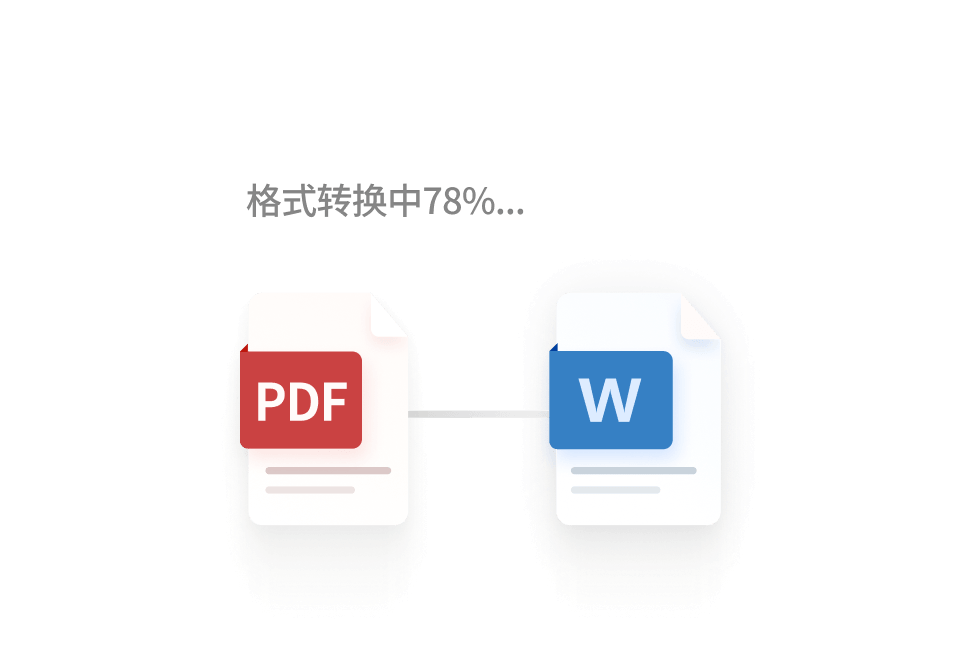
Both the official site and the public tutorials keep repeating the same idea:
Marvis wants file-related work to run as one continuous line.
That includes:
- finding files
- searching by content
- converting formats
- reading documents
- performing content understanding
One especially direct example from the tutorial is:
Convert the
2026 Q1 Sales Data.xlsxfile on the desktop into a
The public execution chain is described as:
- a
Computer- orFile-type agent finds the file - reads the
Excel - generates the
PDF - automatically adjusts column widths, headers, and footers
- saves the result back to the desktop
That suggests the File Agent is not really trying to "read a file" in isolation. It is trying to own:
the full document chain from file discovery to final delivery.
If that chain is stable, a surprising amount of everyday office busywork starts getting absorbed.
Scenario 4: The official "plain-language interaction" pitch is really about lowering the PM Agent threshold for task decomposition
Another public article, "Better Than Every AI Assistant? Tencent's Marvis launches with free, full computer control", includes one line that is especially worth noticing:
No need to learn professional commands or figure out complex features. One natural-language request can help users complete all kinds of tedious computer operations.
Translated into plainer English, that really means:
the PM Agent has to be strong enough that the user does not need to learn an extra control layer.
Because most users do not want to learn:
- which agent they should call
- which tasks belong to the browser
- which tasks belong to files
- when a system step should come before an app step
They want to say things like:
- my computer is too slow
- help me find that file again
- turn this material into a document
- look up the information and draft me an outline
If Marvis is going to work, the PM layer has to do the decomposition on the user's behalf.
The public "1+5 agent collaboration architecture" suggests Marvis is trying to become a task middle layer
The same 2671890 article also gives a more architecture-friendly way to think about it:
- one primary agent for orchestration
- five specialist agents
That matters because it suggests Marvis is not trying to ship separate products like:
- a file utility
- a system manager
- a browser plugin
Instead, it is trying to become a:
system-level middle layer
What does that mean in practice?
It means the user gives it a goal, and it decides:
- where to go first
- what to read
- how to switch contexts
- where the result should be stored
If that layer works, its value is no longer just "a helper with many features." It becomes:
a desktop task dispatcher.
Why this direction matters more in production than ordinary "chat AI"
I think the real value of this 6-agent / 1+5 Marvis architecture is that it targets the most draining parts of desktop work:
- too many files
- too many fragmented steps
- too many disconnected apps
- users who do not want to learn automation flows
An ordinary chat AI can stand nearby and offer advice. It is much less able to solve questions like:
- which app should be used
- where the data lives
- how the result gets saved
- which step needs human confirmation
If a multi-agent system becomes stable, it can begin taking over these "nobody wants to do them, but everybody does them every day" middle tasks.
Who should test this direction first
I think these groups are the best early candidates:
- people who handle local documents, system settings, and browser research every day
- people who constantly switch between
files -> web pages -> documents -> apps - people who want natural-language control over desktop busywork without learning complicated automation scripts
- people who want one task split across multiple AI modules instead of staying inside a single chat box
If what frustrates you right now is:
- AI can talk, but cannot do
- files, apps, and system actions all live in separate silos
- you still end up clicking through everything yourself
then Marvis's desktop AI team direction is at least more worth serious attention than another generic chat tool.
My Final Take
If I had to summarize this entire Marvis 6-Agent Team Review in one sentence, it would be this:
The most important thing about Marvis is not that it can chat well. It is that it is starting to break desktop work into a digital team with specialized roles.
What it has publicly demonstrated is not only that "there are six agents," but more specifically that:
PMunderstands and decomposes the taskFilehandles files, format conversion, and content readingComputermanages the system, settings, and optimization workSearch / Browserpulls information from the web layerAPPconnects application operations into the workflow
If those roles can collaborate reliably, the meaning of Marvis stops being:
AI answers your questions
and becomes:
AI starts running part of your desktop workflow for you
If what you want next is more practical information on:
- current access routes
- model and pricing details
- API key purchase
- usage tutorials
you can start here:
FAQ
What are the roles in Marvis's "6-person AI team"?
The most common list in public tutorials is:
PM AgentFile AgentComputer AgentAPP AgentSearch AgentBrowser Agent
Public articles also describe the same idea as a "1+5 agent collaboration architecture": one primary agent handles orchestration, while multiple specialist agents handle execution.
What is the biggest difference between Marvis and ordinary chat AI?
The biggest difference is not answer style. It is that Marvis is trying to move into:
- system settings
- local files
- app operations
- webpage interaction
In other words, it is moving from "answering" toward "executing."
What is the most typical public task chain shown in the tutorials?
One representative example is:
- the computer starts too slowly
PMidentifies it as a system optimization taskComputer Agentscans the startup items- it returns recommendations
- and asks for confirmation before disabling anything important
What is the most realistic example of multi-agent collaboration in office work?
The public practical article gives a good example:
- organize meeting notes from multiple departments
- extract key decisions
- generate a
PPT - add a meeting reminder
That feels much closer to real desktop work than a single-turn Q&A demo.
If I want to start from Marvis's current public information, where should I look first?
These are the most direct entry points:
References
- Marvis official site
- A Complete Beginner's Guide to Marvis: the "AI workhorse" everyone is looking for - don't just use it for chatting!
- Marvis 6-Agent Collaboration in Action: a practical "work assistant" case
- Better Than Every AI Assistant? Tencent's Marvis launches with free, full computer control